B2C PRODUCT DESIGN
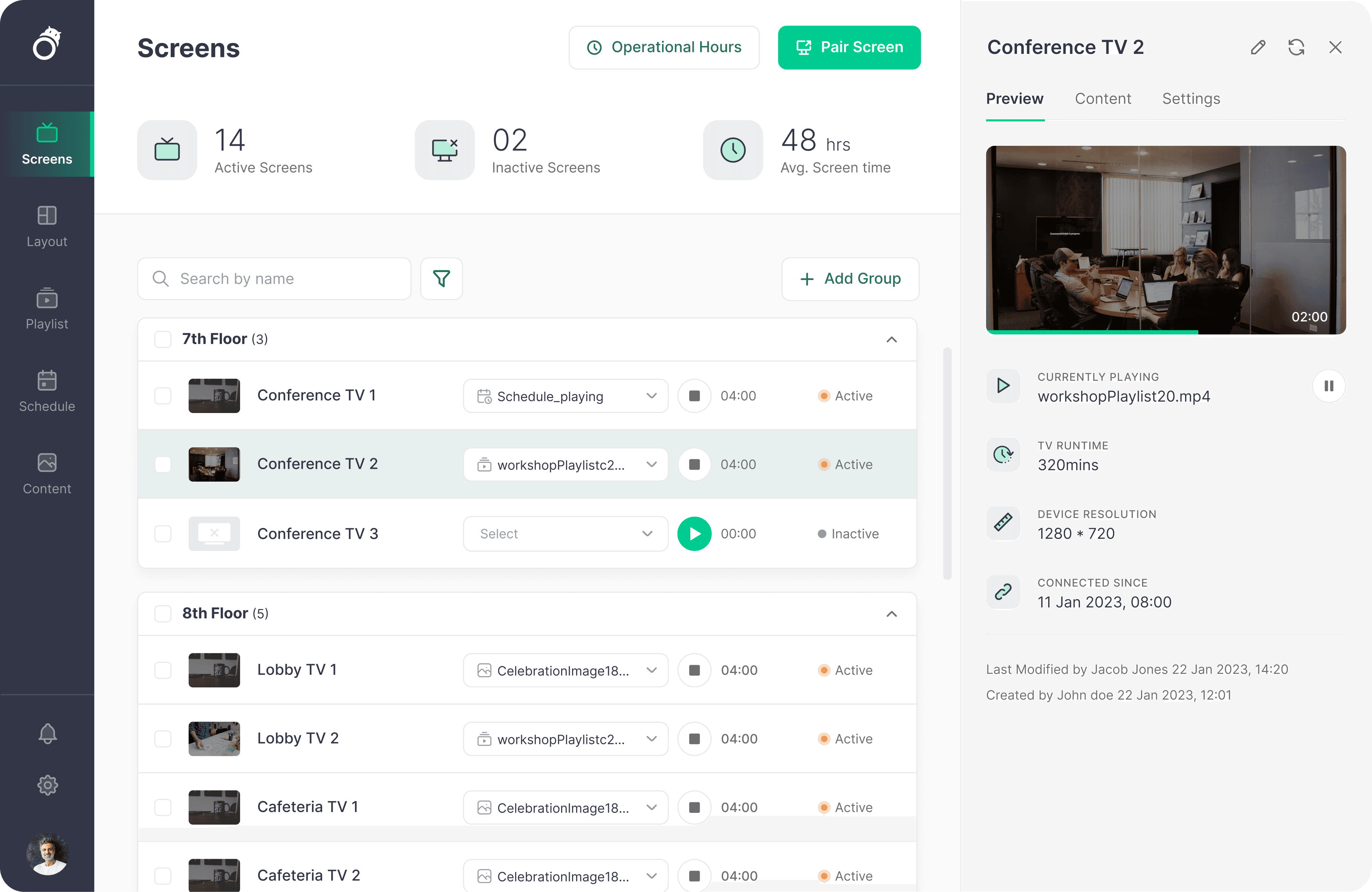
Current corporate environments suffer from "Content Chaos," where office screens are either idle or difficult to manage. ScreenHippo was designed as a specialized Content Management System (CMS) for physical spaces, positioning it as the "middle ground" between simple screen sharing apps like Zoom and complex digital signage tools.
Current corporate environments suffer from "Content Chaos," where office screens are either idle or difficult to manage. ScreenHippo was designed as a specialized Content Management System (CMS) for physical spaces, positioning it as the "middle ground" between simple screen sharing apps like Zoom and complex digital signage tools.
Before engaging with users, I conducted a deep dive into the corporate "Screen Ecosystem." My research confirmed that while hardware has advanced, the software layer for physical office spaces has remained stagnant, creating a significant market opportunity.
Before engaging with users, I conducted a deep dive into the corporate "Screen Ecosystem." My research confirmed that while hardware has advanced, the software layer for physical office spaces has remained stagnant, creating a significant market opportunity.
To validate the market gap identified in my secondary research, I conducted semi structured interviews with Project Managers and IT Leads across several digital heavy corporate environments. The goal was to uncover the emotional and operational "friction points" that occur when technology fails during high stakes presentations.
To validate the market gap identified in my secondary research, I conducted semi structured interviews with Project Managers and IT Leads across several digital heavy corporate environments. The goal was to uncover the emotional and operational "friction points" that occur when technology fails during high stakes presentations.
Workflow Mapping: Understanding the end to end journey of sharing "Briefs" or project updates on physical office screens.
Workflow Mapping: Understanding the end to end journey of sharing "Briefs" or project updates on physical office screens.
Pain Point Discovery: Identifying why current screen sharing methods fail to support long term team growth and data retention.
Pain Point Discovery: Identifying why current screen sharing methods fail to support long term team growth and data retention.
The Active User: "The High-Stakes Collaborator" : Team Leads, Project Managers, Creative Directors.
The Active User: "The High-Stakes Collaborator" : Team Leads, Project Managers, Creative Directors.
The Goal : Eliminate the 15 minute "technical tax" paid at the start of every meeting due to setup fumbles.
The Goal : Eliminate the 15 minute "technical tax" paid at the start of every meeting due to setup fumbles.
The Impact : Transform static office monitors into dynamic knowledge sharing hubs.
The Impact : Transform static office monitors into dynamic knowledge sharing hubs.
The System Owner: "The Workplace Experience Manager : IIT Managers, Office Ops, HR Directors.
The System Owner: "The Workplace Experience Manager : IIT Managers, Office Ops, HR Directors.
The Organizational Impact : Beyond individual users, we targeted the Hybrid Office Friction
The Organizational Impact : Beyond individual users, we targeted the Hybrid Office Friction
The Hybrid Friction: Industry data reveals that approximately 60% of office workers lose up to 15 minutes per meeting solely to technical setup and "content hunting". This "technical tax" directly impacts organizational billable hours and momentum
The Hybrid Friction: Industry data reveals that approximately 60% of office workers lose up to 15 minutes per meeting solely to technical setup and "content hunting". This "technical tax" directly impacts organizational billable hours and momentum
The Rise of Underutilized Hardware: As offices transition from static posters to dynamic digital displays, 70% of companies report that their screens remain idle or outdated. The primary cause is not a lack of content, but software that is too complex for non-technical team leads to manage.
The Rise of Underutilized Hardware: As offices transition from static posters to dynamic digital displays, 70% of companies report that their screens remain idle or outdated. The primary cause is not a lack of content, but software that is too complex for non-technical team leads to manage.
General Streaming Tools: While excellent for remote calls, they are poorly optimized for "perpetual" office displays or managing localized hardware assets.
General Streaming Tools: While excellent for remote calls, they are poorly optimized for "perpetual" office displays or managing localized hardware assets.
Professional Digital Signage: These are powerful but suffer from a "Complexity Barrier". They are often too cumbersome for a Project Manager who simply needs to share a quick "Brief" or live KPI.
Professional Digital Signage: These are powerful but suffer from a "Complexity Barrier". They are often too cumbersome for a Project Manager who simply needs to share a quick "Brief" or live KPI.
Research Goals
Research Goals
B2C PRODUCT DESIGN
Context
Context
TARGET AUIDENCE
TARGET AUIDENCE
Secondary Research: The Collaboration & Management Gap
Secondary Research: The Collaboration & Management Gap
Primary Research: Decoding the "Friction" in Corporate Collaboration
Strategic New Features: Driving Organizational Growth
Primary Research: Decoding the "Friction" in Corporate Collaboration
The Four Pillars of "Tech-Fear"
The Four Pillars of "Tech-Fear"
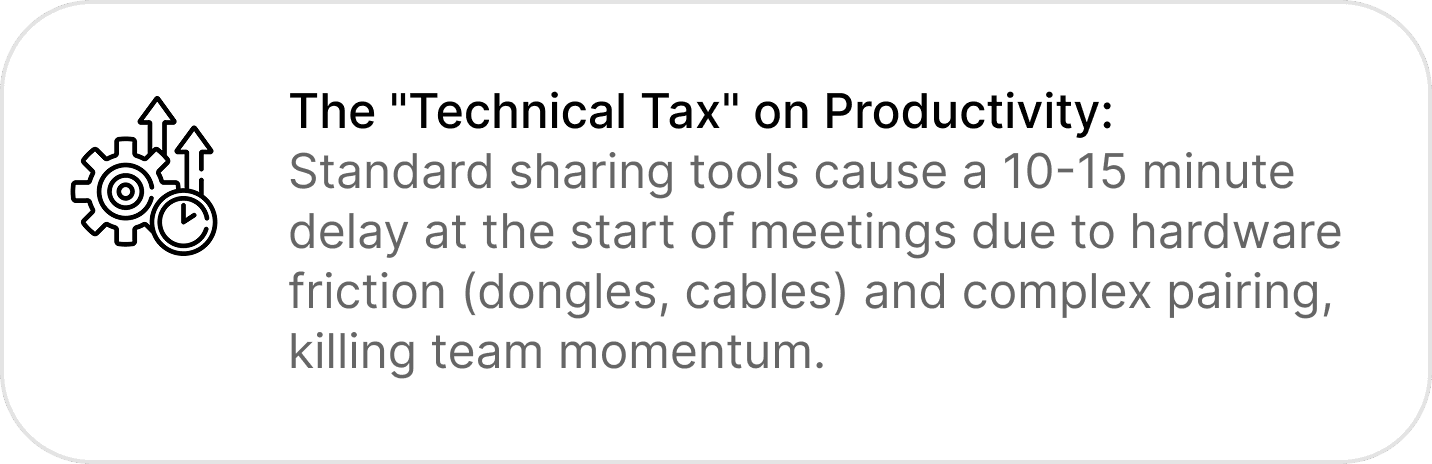
The "Technical Tax" on Productivity:
Standard sharing tools cause a 10-15 minute delay at the start of meetings due to hardware friction (dongles, cables) and complex pairing, killing team momentum.
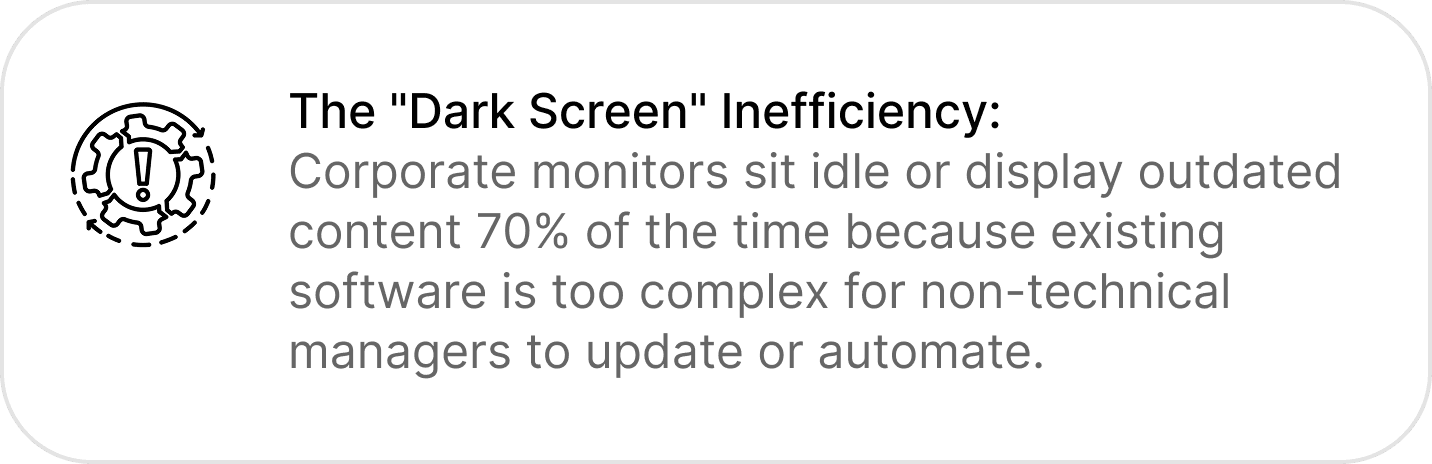
The "Dark Screen" Inefficiency:
Corporate monitors sit idle or display outdated content 70% of the time because existing software is too complex for non-technical managers to update or automate.
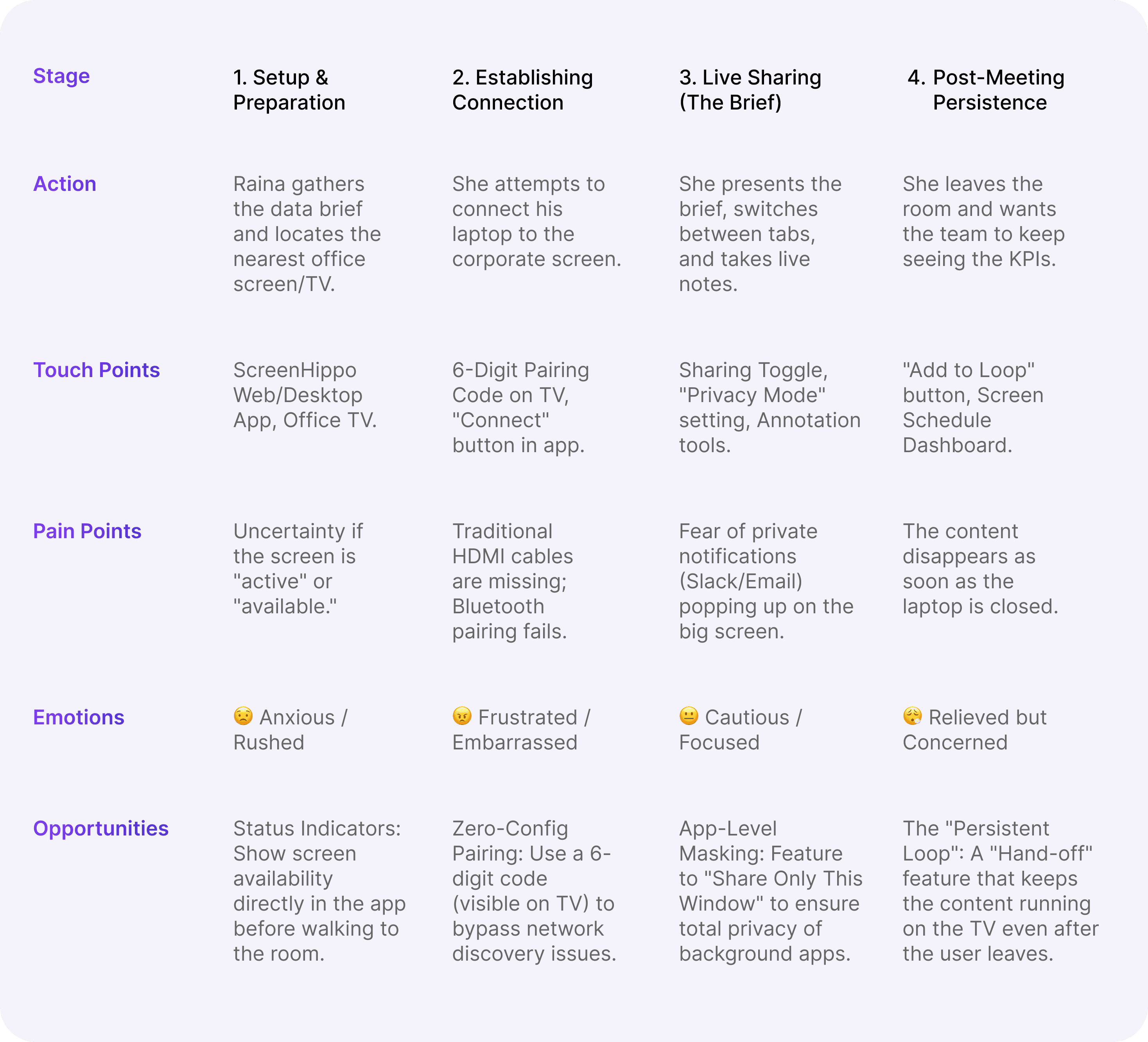
User Journey Mapping
User Journey Mapping
Improvisations: Refining the Core Experience
Improvisations: Refining the Core Experience
Strategic New Features: Driving Organizational Growth
1. Setup & Preparation
Raina gathers the data brief and locates the nearest office screen/TV.
ScreenHippo Web/Desktop App, Office TV.
Uncertainty if the screen is "active" or "available."
😟 Anxious / Rushed
Status Indicators: Show screen availability directly in the app before walking to the room.
Zero-Config Pairing: Use a 6 digit code (visible on TV) to bypass network discovery issues.
App-Level Masking: Feature to "Share Only This Window" to ensure total privacy of background apps.
The "Persistent Loop": A "Hand-off" feature that keeps the content running on the TV even after the user leaves.
6-Digit Pairing Code on TV, "Connect" button in app.
Traditional HDMI cables are missing; Bluetooth pairing fails.
😠 Frustrated / Embarrassed
Sharing Toggle, "Privacy Mode" setting, Annotation tools.
Fear of private notifications (Slack/Email) popping up on the big screen.
😐 Cautious / Focused
"Add to Loop" button, Screen Schedule Dashboard.
The content disappears as soon as the laptop is closed.
😮💨 Relieved but Concerned
2. Establishing Connection
She attempts to connect his laptop to the corporate screen.
3. Live Sharing (The Brief)
She presents the brief, switches between tabs, and takes live notes.
Post-Meeting Persistence
She leaves the room and wants the team to keep seeing the KPIs.
Stage
Action
Emotions
Opportunities
Touch Points
Pain Points
The Scenario: The Presenter’s Path
The Scenario: The Presenter’s Path
A Project Lead (Marcus) needs to present a high-priority "Brief" to a board room full of stakeholders and then ensure the data remains visible on the office floor for the rest of the week.
A Project Lead (Marcus) needs to present a high-priority "Brief" to a board room full of stakeholders and then ensure the data remains visible on the office floor for the rest of the week.
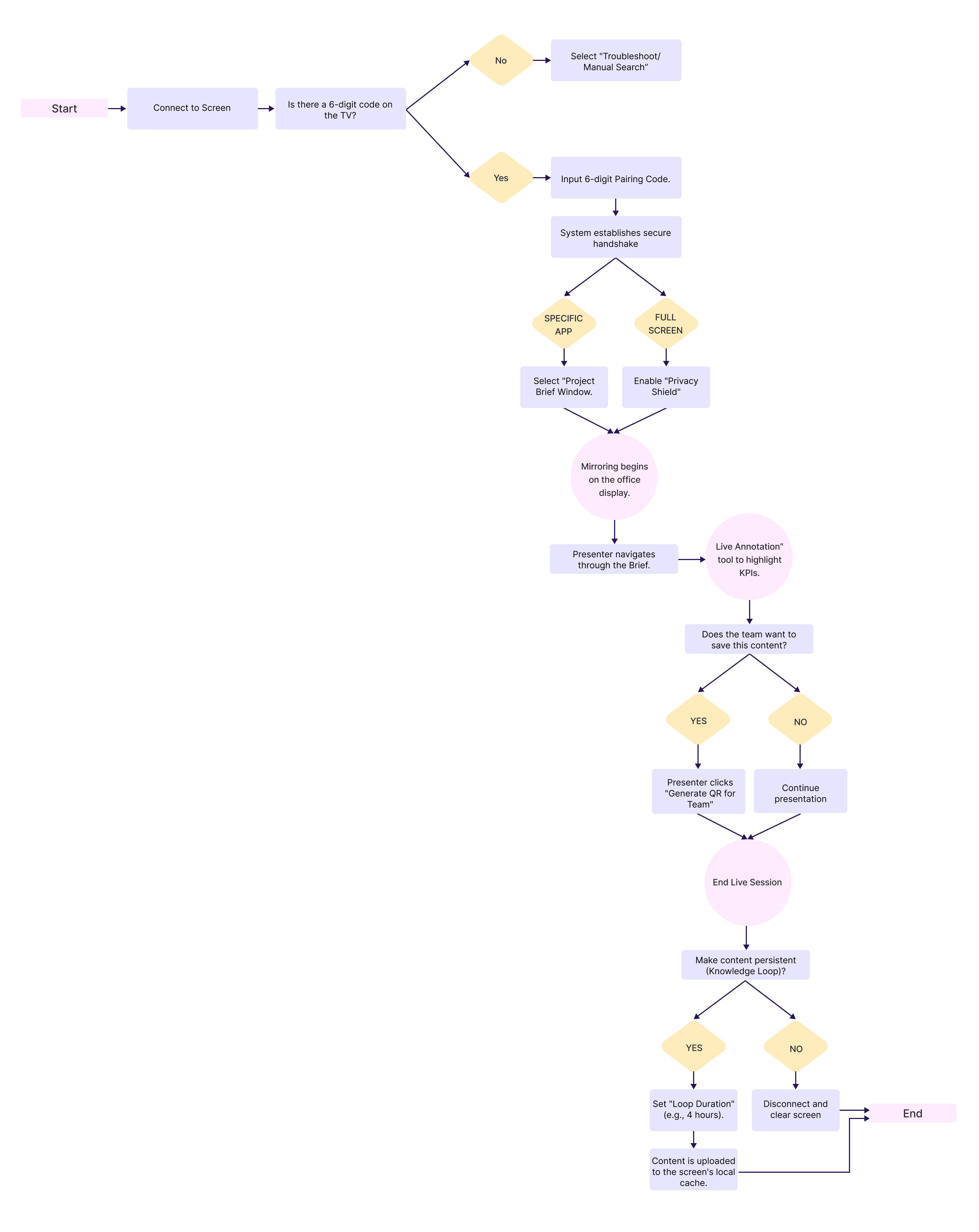
User FLOW
User FLOW
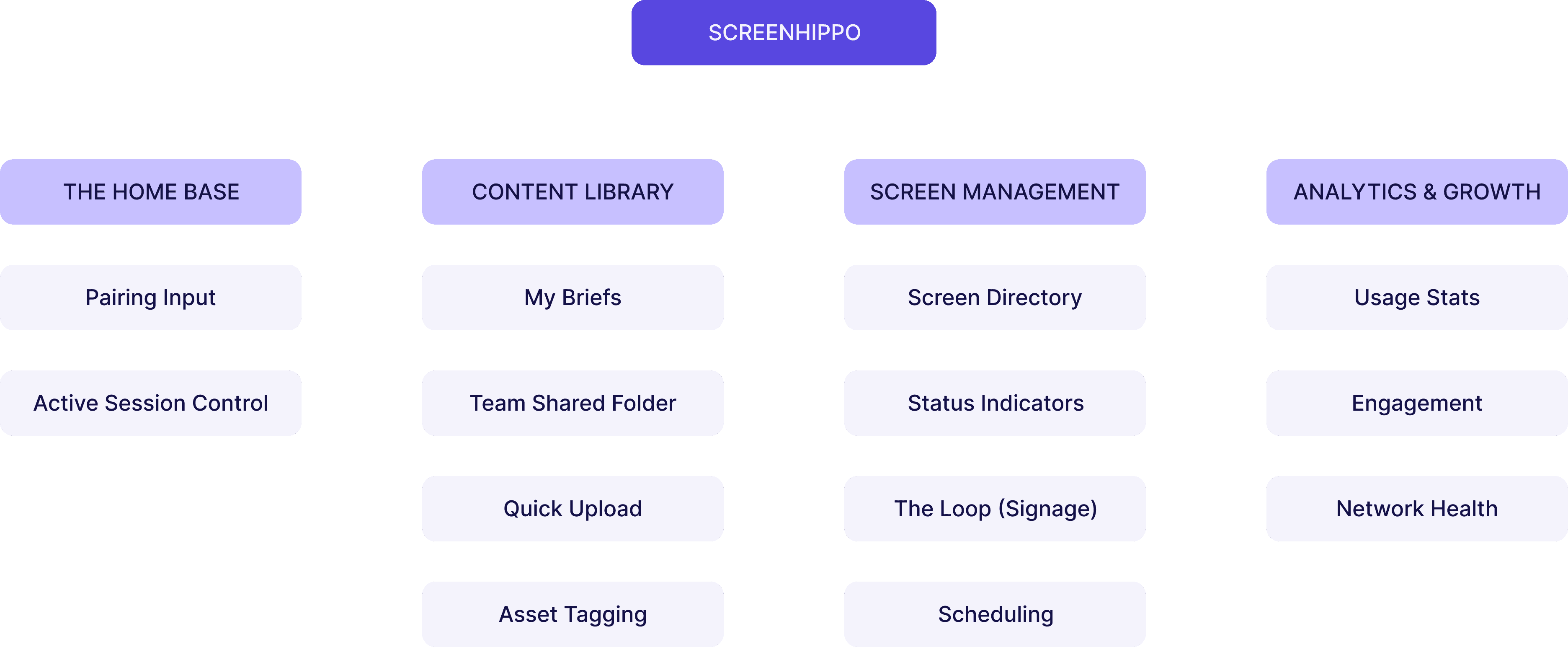
ScreenHippo
The Home Base
Content Library
Screen Management
Analytics & Growth
Pairing Input
My Briefs
Screen Directory
Usage Stats
Active Session Control
Status Indicators
The Loop (Signage)
Scheduling
Engagement
Team Shared Folder
Network Health
Quick Upload
Asset Tagging
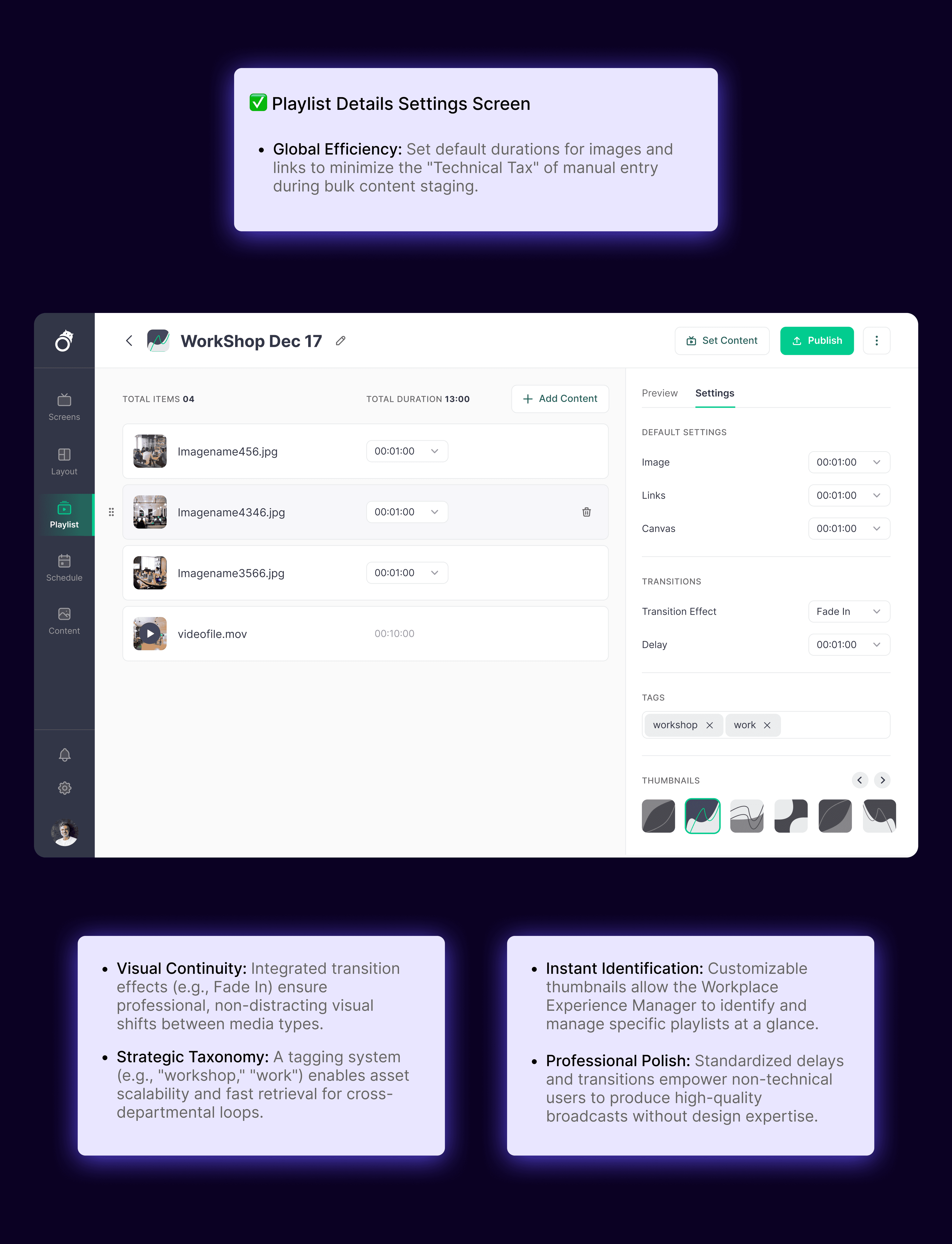
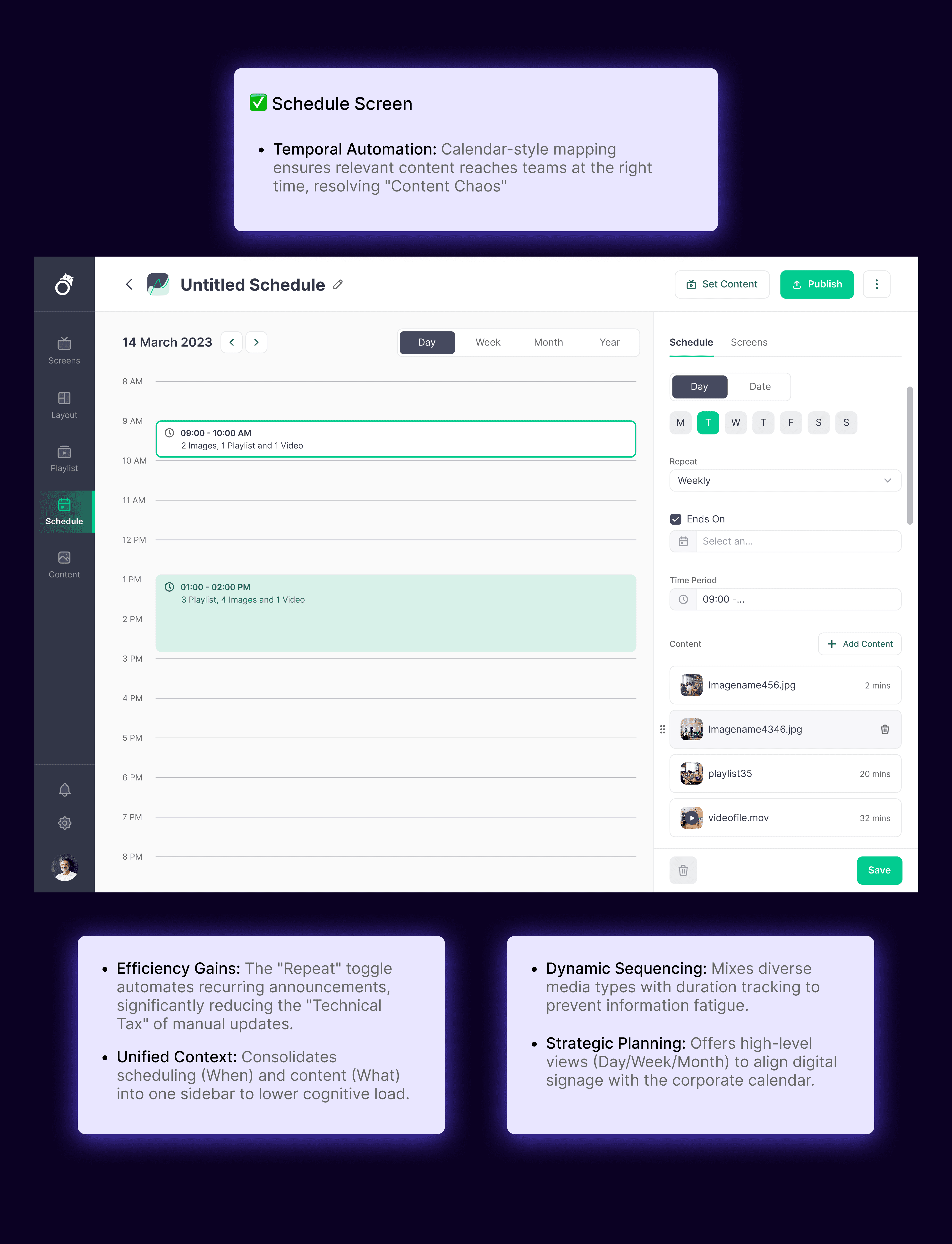
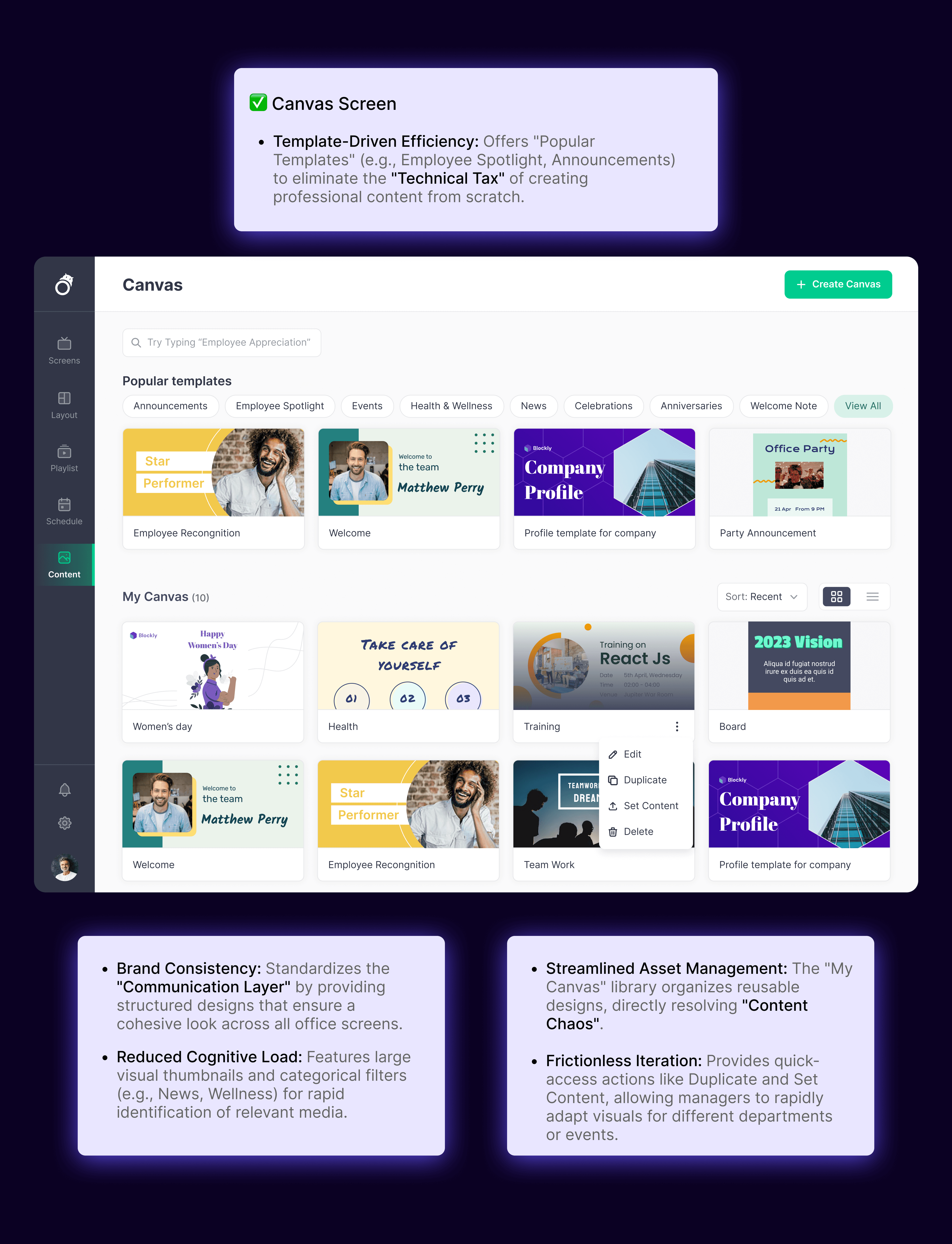
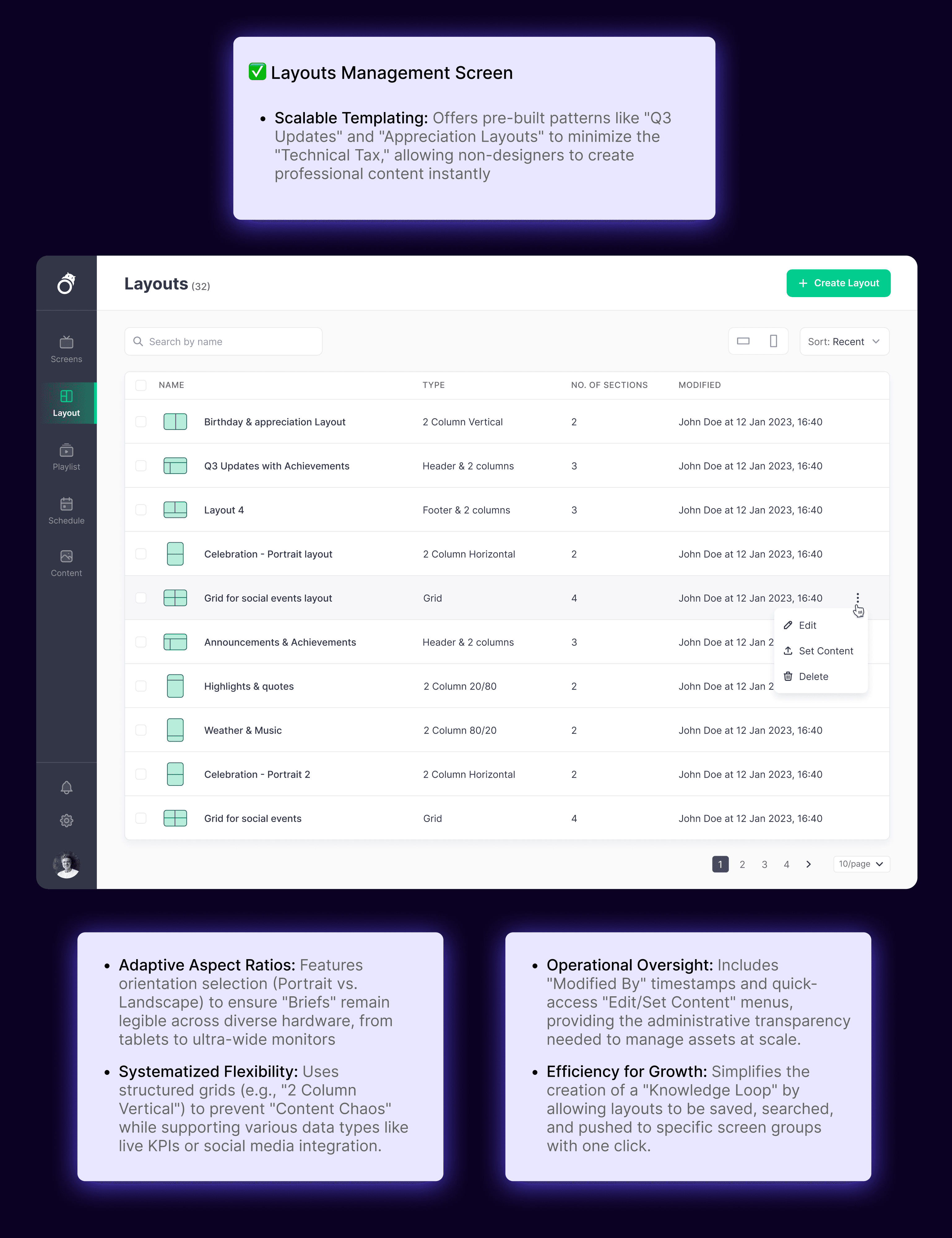
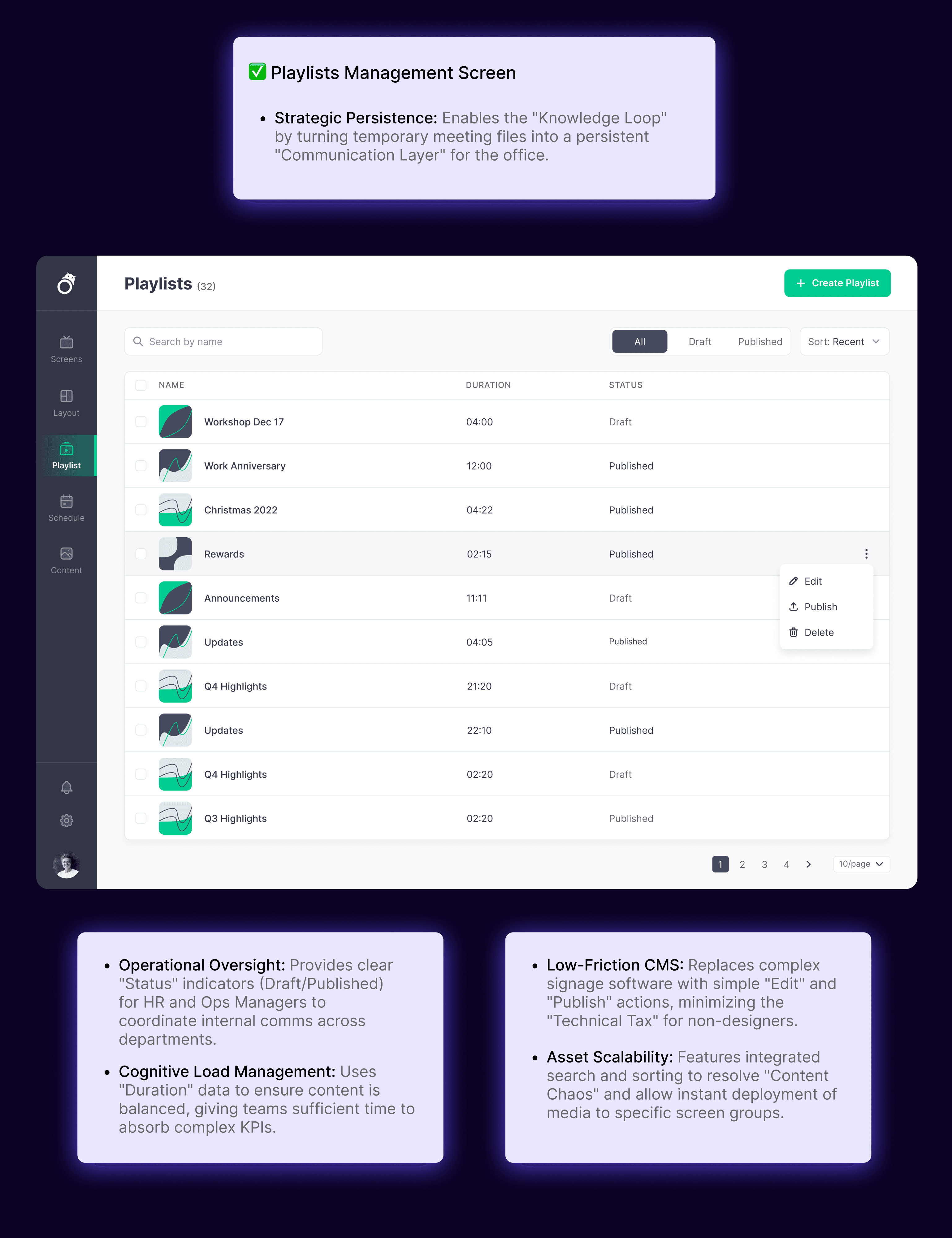
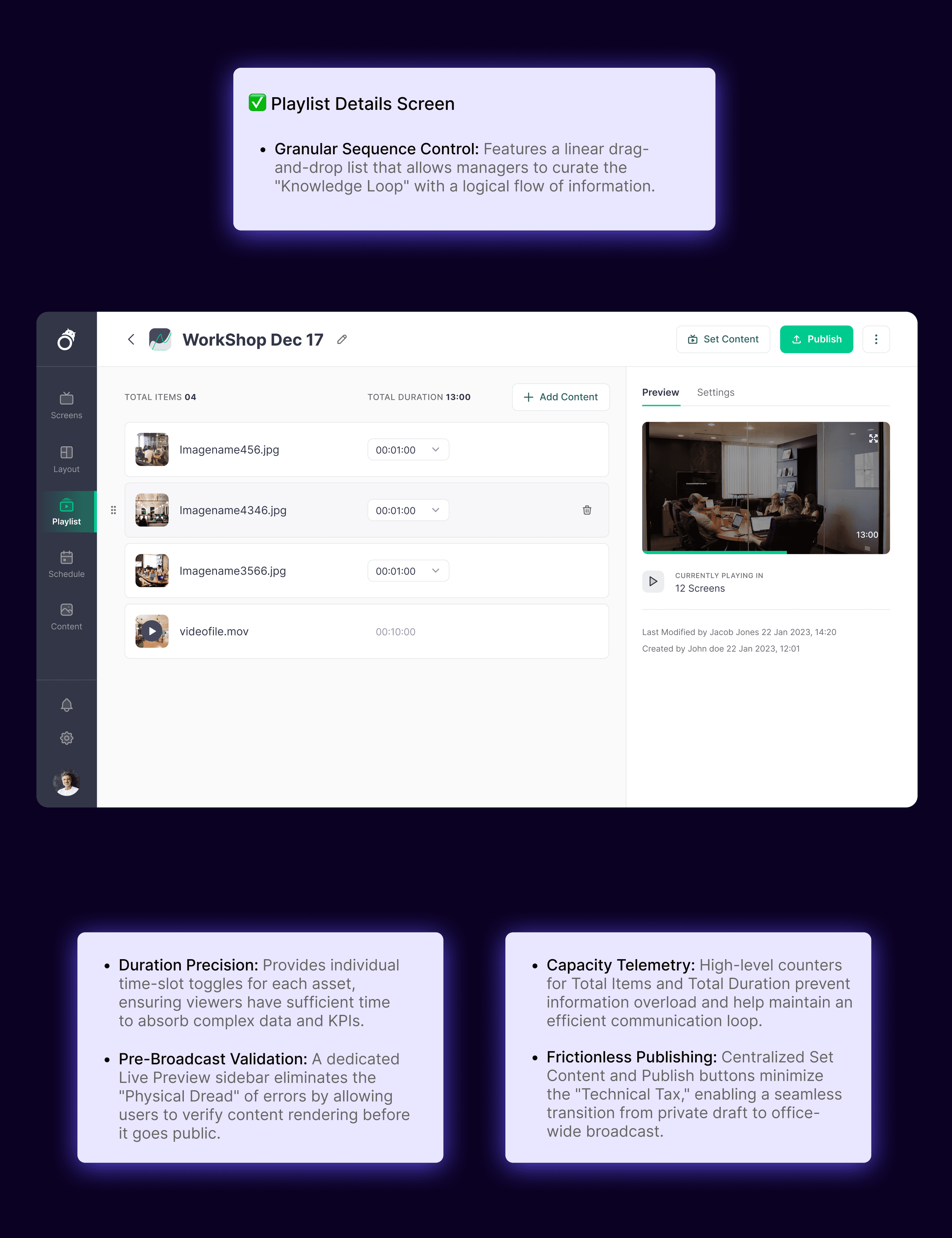
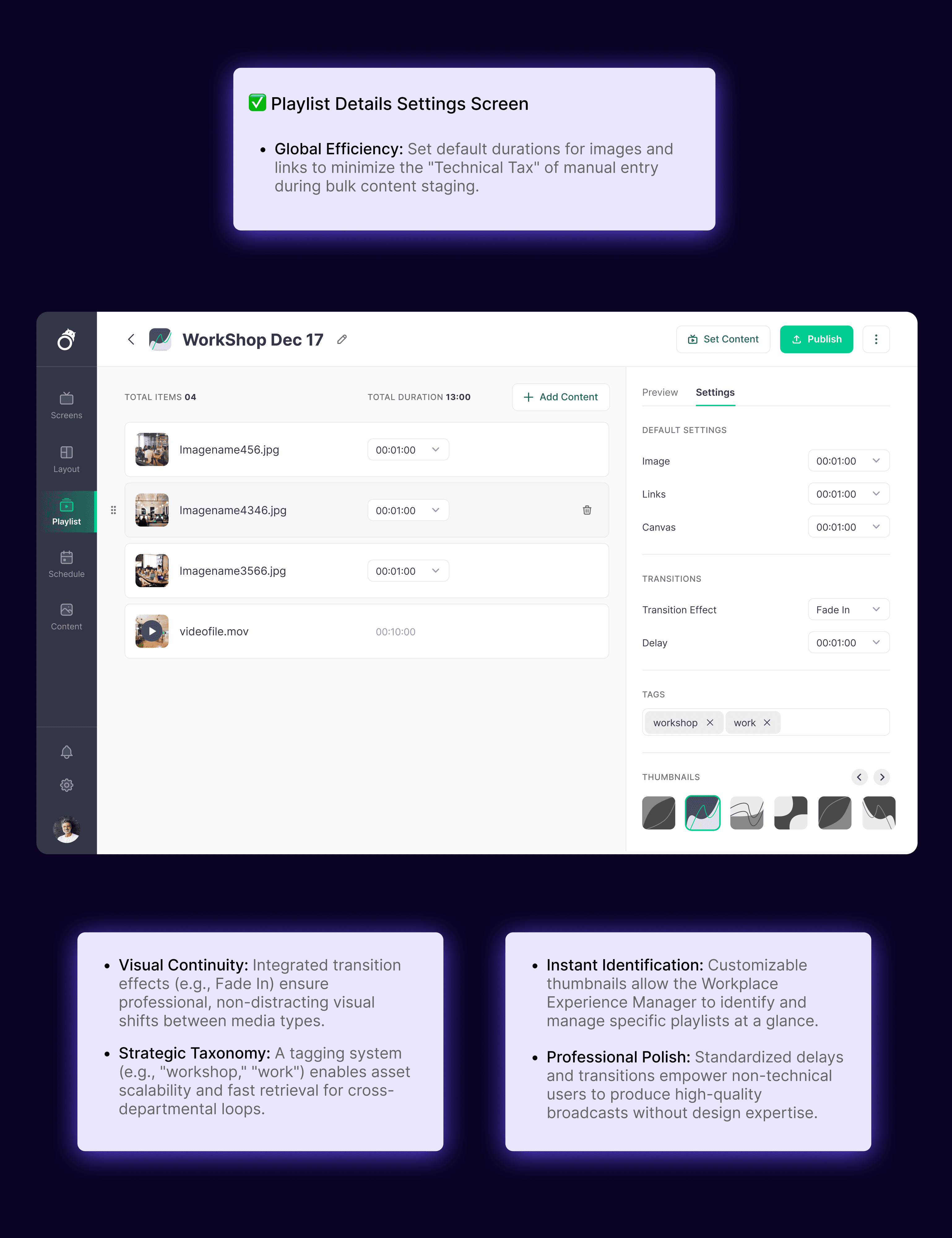
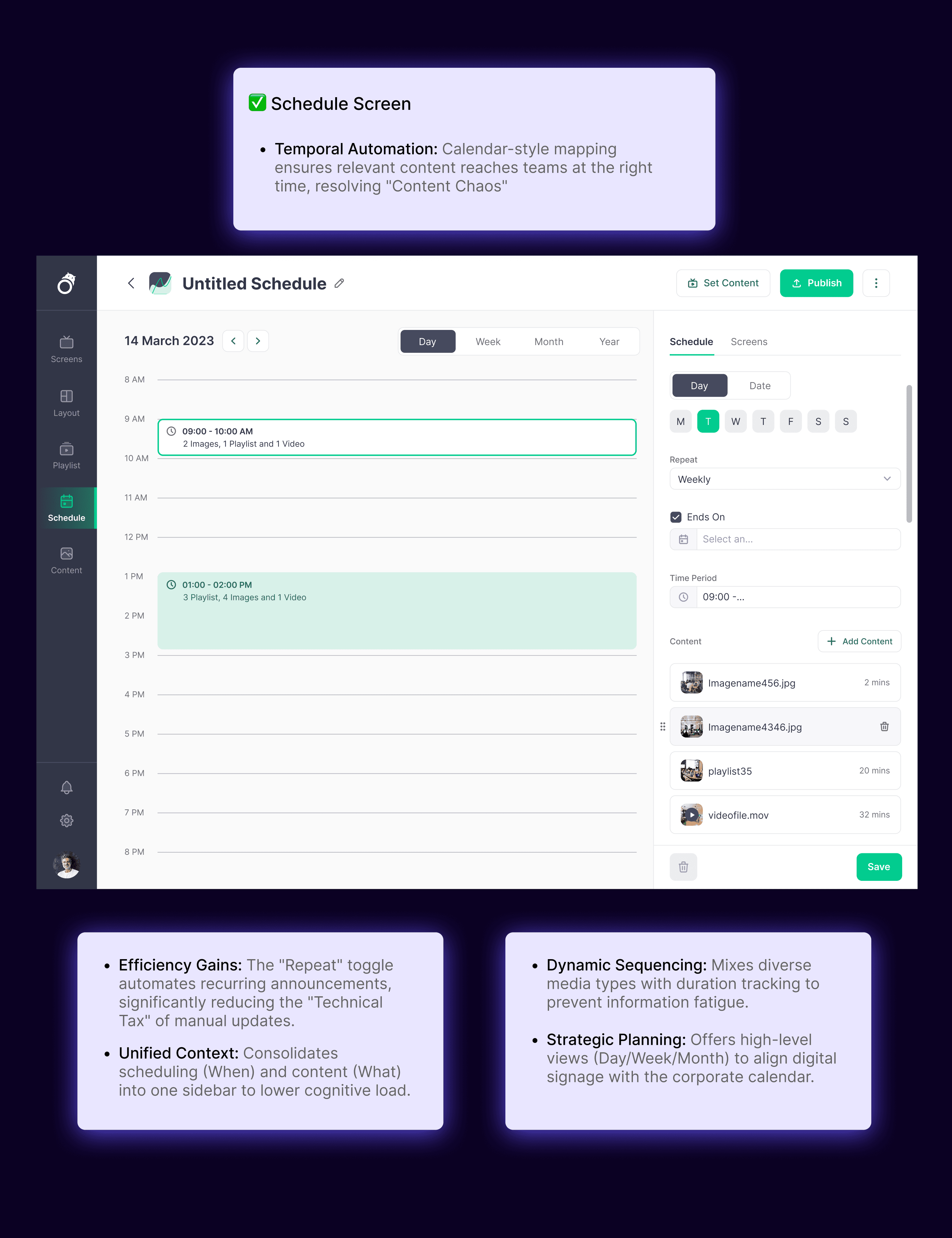
Information Architecture
Information Architecture
Final Designs
Final Designs
This flow follows our persona, Raina, as she moves from a private preparation state to a public presentation, and finally to an automated organizational broadcast.
This flow follows our persona, Raina, as she moves from a private preparation state to a public presentation, and finally to an automated organizational broadcast.
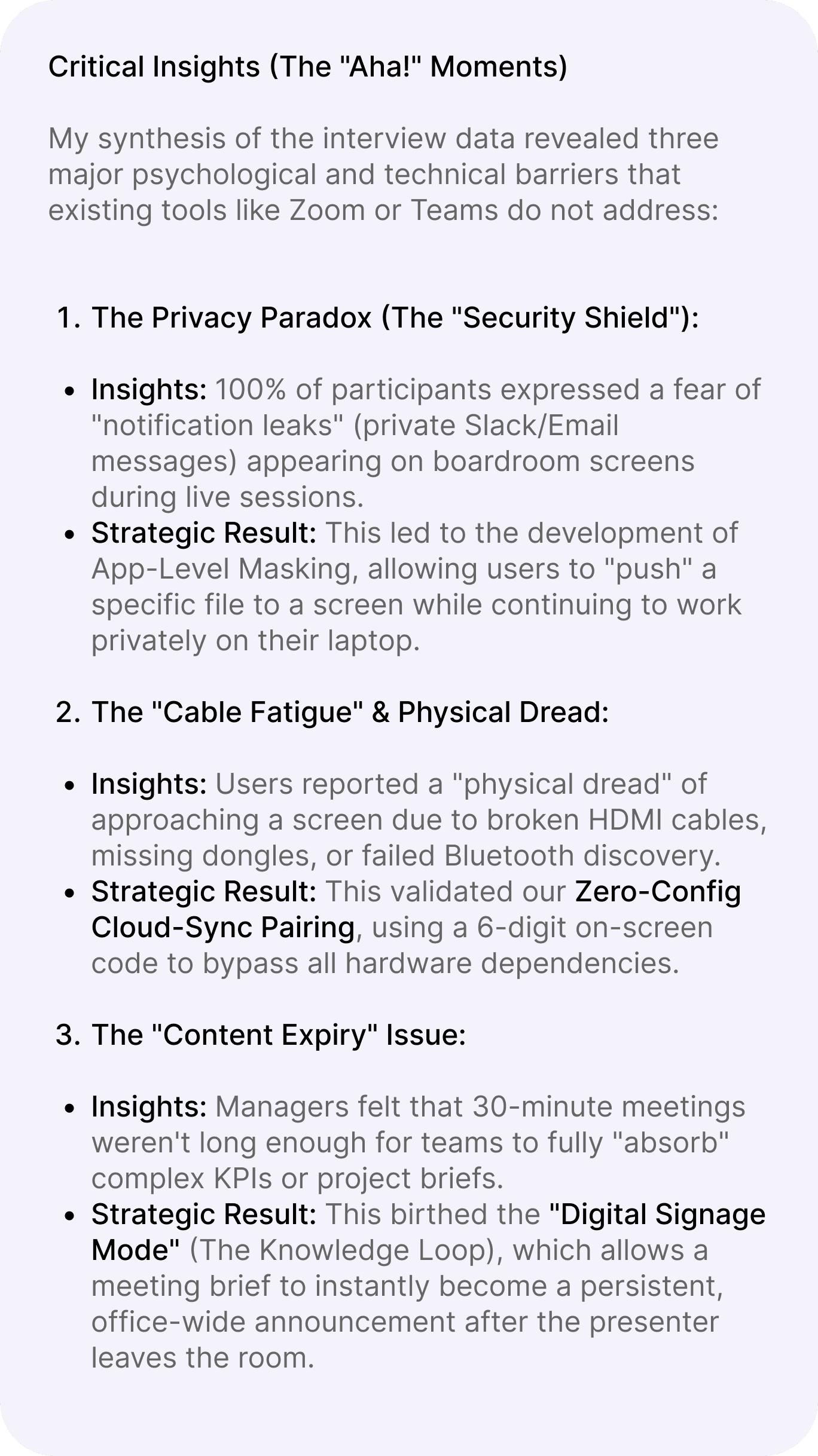
My synthesis of the interview data revealed three major psychological and technical barriers that existing tools like Zoom or Teams do not address:
Critical Insights (The "Aha!" Moments)
The Privacy Paradox (The "Security Shield"):
The "Cable Fatigue" & Physical Dread:
The "Content Expiry" Issue:
Insights: 100% of participants expressed a fear of "notification leaks" (private Slack/Email messages) appearing on boardroom screens during live sessions.
Insights: Users reported a "physical dread" of approaching a screen due to broken HDMI cables, missing dongles, or failed Bluetooth discovery.
Insights: Managers felt that 30-minute meetings weren't long enough for teams to fully "absorb" complex KPIs or project briefs.
Strategic Result: This led to the development of App Level Masking, allowing users to "push" a specific file to a screen while continuing to work privately on their laptop.
Strategic Result: This validated our Zero-Config Cloud-Sync Pairing, using a 6 digit on screen code to bypass all hardware dependencies.
Strategic Result: This birthed the "Digital Signage Mode" (The Knowledge Loop), which allows a meeting brief to instantly become a persistent, office wide announcement after the presenter leaves the room.
No
FULL SCREEN
NO
NO
Yes
SPECIFIC APP
YES
YES
Connect to Screen
Is there a 6-digit code on the TV?
Select "Troubleshoot/Manual Search”
Input 6-digit Pairing Code.
System establishes secure handshake
Select "Project Brief Window.
Set "Loop Duration" (e.g., 4 hours).
Disconnect and clear screen
Content is uploaded to the screen's local cache.
Enable "Privacy Shield"
Presenter navigates through the Brief.
Does the team want to save this content?
Make content persistent (Knowledge Loop)?
Presenter clicks "Generate QR for Team"
Continue presentation
Mirroring begins on the office display.
End Live Session
Live Annotation" tool to highlight KPIs.
ScreenHippo: Reducing "Collaboration Friction" in Hybrid Corporate Environments
ScreenHippo: Reducing "Collaboration Friction" in Hybrid Corporate Environments
In the hybrid office, 15 minutes of every meeting are lost to 'content hunting' and technical friction. ScreenHippo transforms idle corporate screens into a dynamic communication layer, turning 'dark' assets into high value knowledge sharing hubs.
In the hybrid office, 15 minutes of every meeting are lost to 'content hunting' and technical friction. ScreenHippo transforms idle corporate screens into a dynamic communication layer, turning 'dark' assets into high value knowledge sharing hubs.
Duration
Duration
-6 months
-Feb 2022 - July 2022
-6 months
-Feb 2022 - July 2022
My Role
My Role
-Research & Design
-System Design
-User Testing
-Strategic Planning
-Research & Design
-System Design
-User Testing
-Strategic Planning
Team
Team
-1 PM
-1 EM, 2 QA, 6 Developers
-1 Product Designer (myself)
-1 PM
-1 EM, 2 QA, 6 Developers
-1 Product Designer (myself)
user personas
user personas
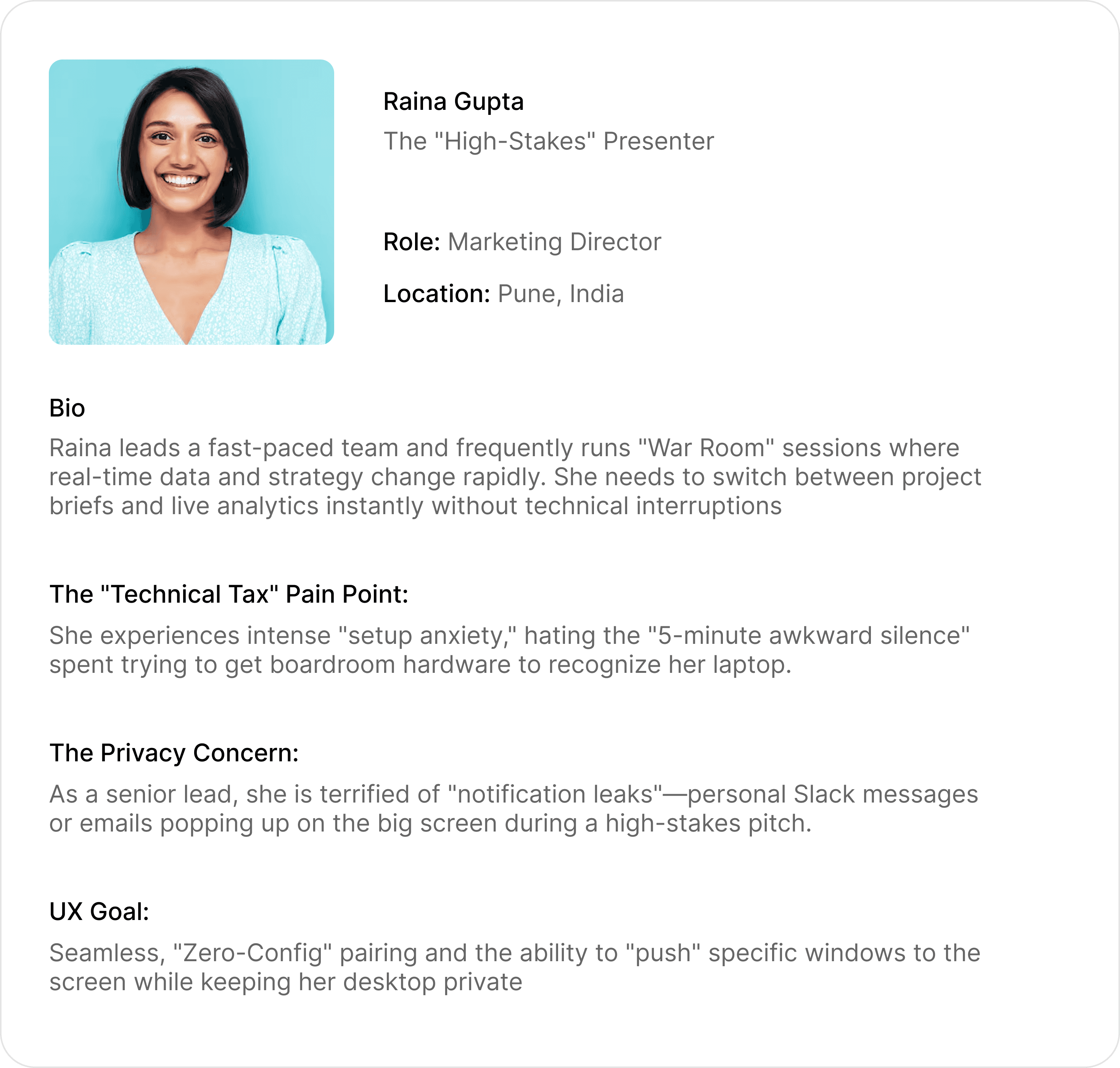
Raina Gupta
Role: Marketing Director
The "High-Stakes" Presenter
Location: Pune, India
Bio
Raina leads a fast paced team and frequently runs "War Room" sessions where real-time data and strategy change rapidly. She needs to switch between project briefs and live analytics instantly without technical interruptions
The "Technical Tax" Pain Point:
She experiences intense "setup anxiety," hating the "5 minute awkward silence" spent trying to get boardroom hardware to recognize her laptop.
The Privacy Concern:
As a senior lead, she is terrified of "notification leaks" personal Slack messages or emails popping up on the big screen during a high-stakes pitch.
UX Goal:
Seamless, "Zero-Config" pairing and the ability to "push" specific windows to the screen while keeping her desktop private

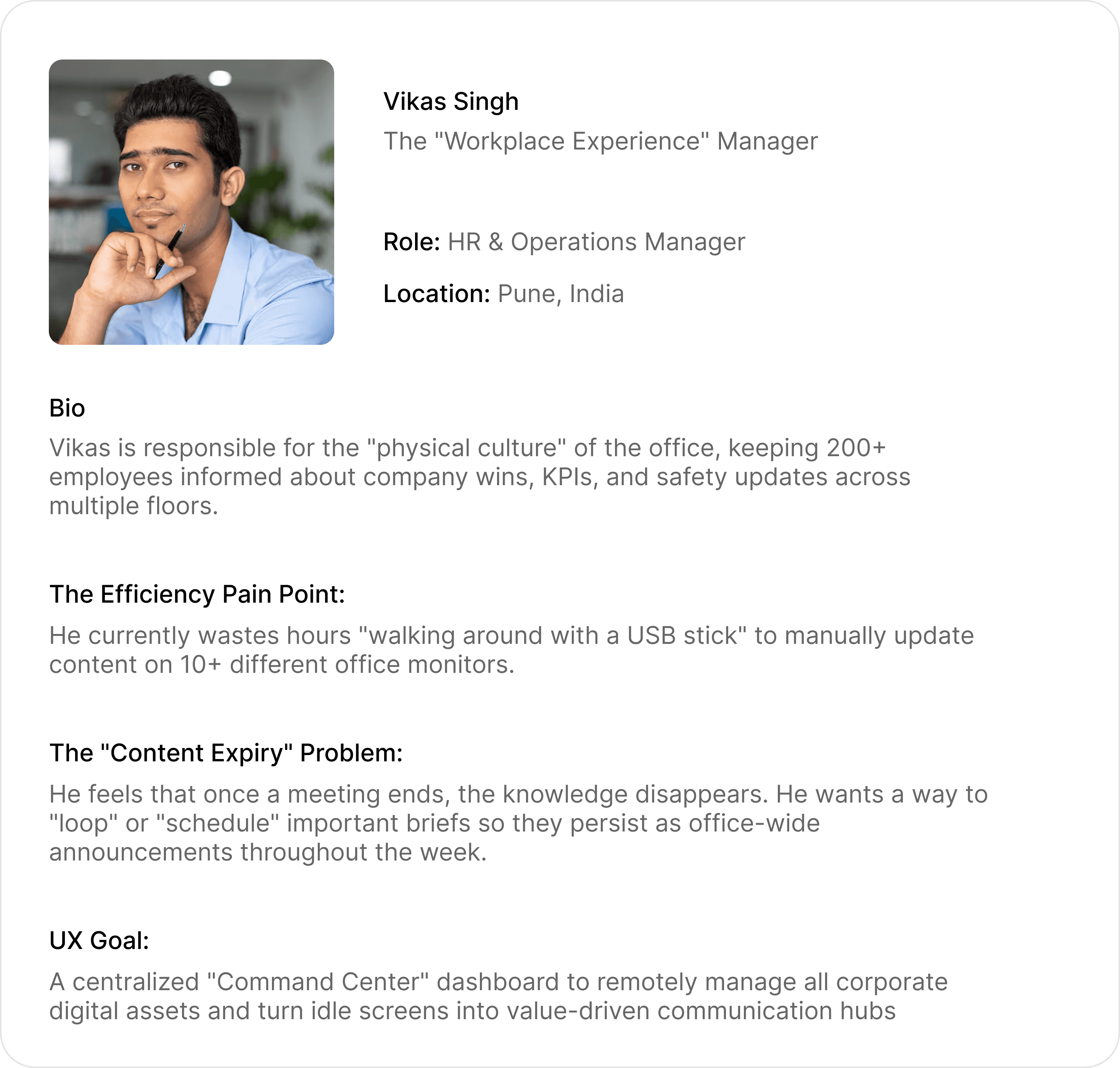
Vikas Singh
Role: HR & Operations Manager
The "Workplace Experience" Manager
Location: Pune, India
Bio
Vikas is responsible for the "physical culture" of the office, keeping 200+ employees informed about company wins, KPIs, and safety updates across multiple floors.
The Efficiency Pain Point:
He currently wastes hours "walking around with a USB stick" to manually update content on 10+ different office monitors.
The "Content Expiry" Problem:
He feels that once a meeting ends, the knowledge disappears. He wants a way to "loop" or "schedule" important briefs so they persist as office wide announcements throughout the week.
UX Goal:
A centralized "Command Center" dashboard to remotely manage all corporate digital assets and turn idle screens into value driven communication hubs

These improvements focus on removing "friction" from traditional office technology to ensure the tool is invisible and effective.
These improvements focus on removing "friction" from traditional office technology to ensure the tool is invisible and effective.
These features move the product beyond "sharing" into "management," making the platform indispensable for corporate communication
These features move the product beyond "sharing" into "management," making the platform indispensable for corporate communication
Zero-Config Pairing (The 6 Digit Code): The Improvement: Replaces complex Bluetooth discovery or the search for HDMI cables with a permanent code displayed on the office TV.
Zero-Config Pairing (The 6 Digit Code): The Improvement: Replaces complex Bluetooth discovery or the search for HDMI cables with a permanent code displayed on the office TV.
Privacy-First Sharing: The Improvement: A simplified toggle allowing users to share specific application windows instead of their entire desktop.
Privacy-First Sharing: The Improvement: A simplified toggle allowing users to share specific application windows instead of their entire desktop.
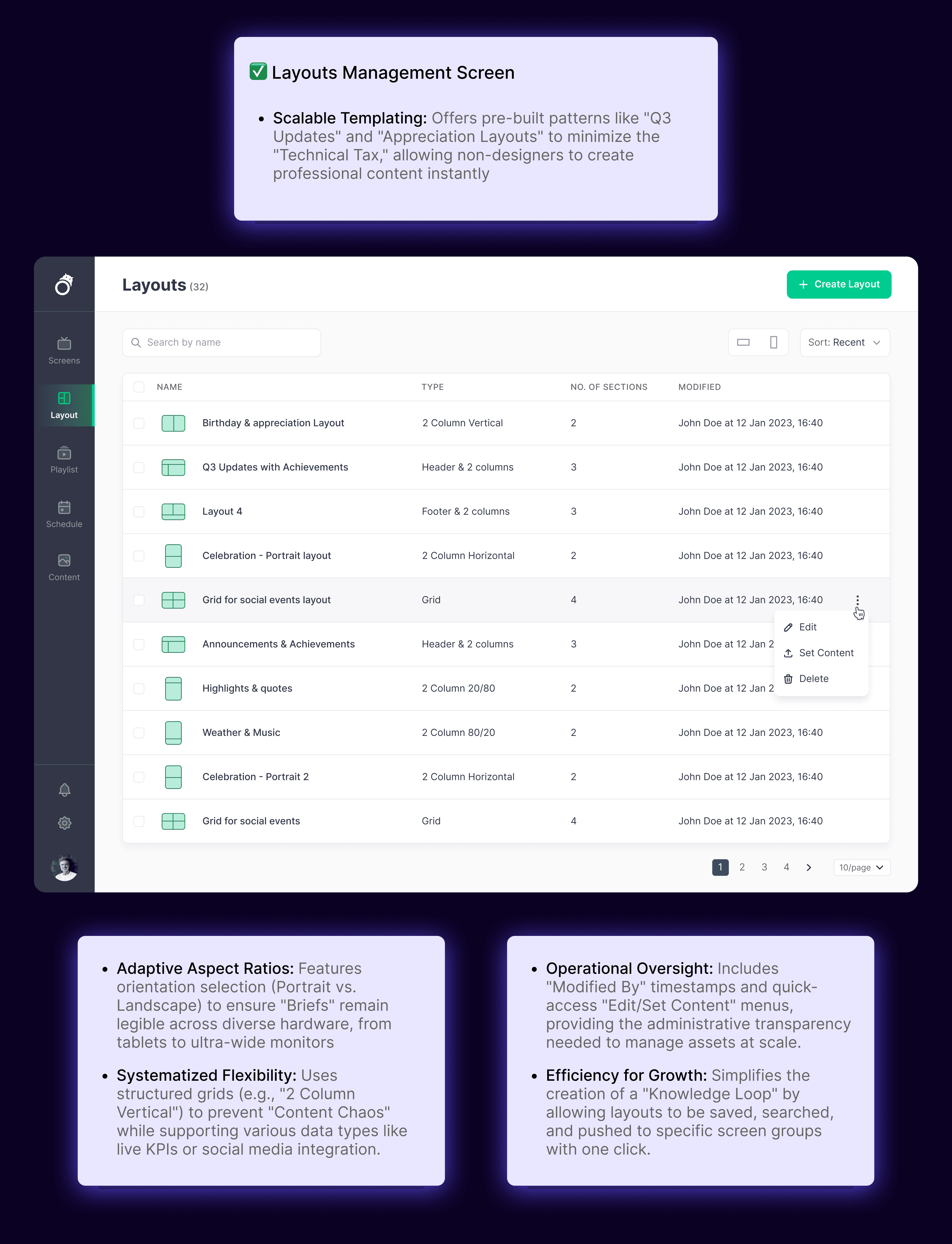
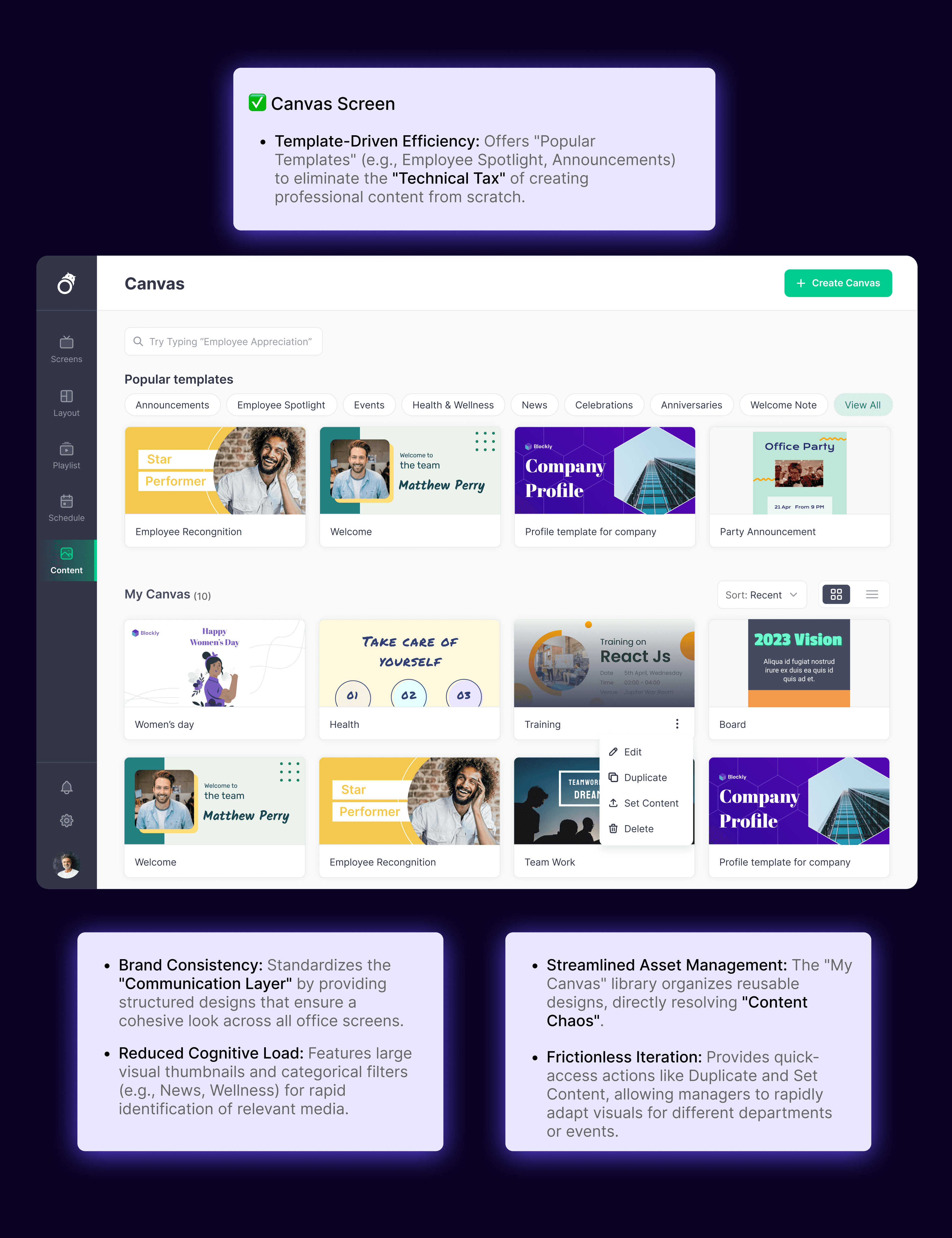
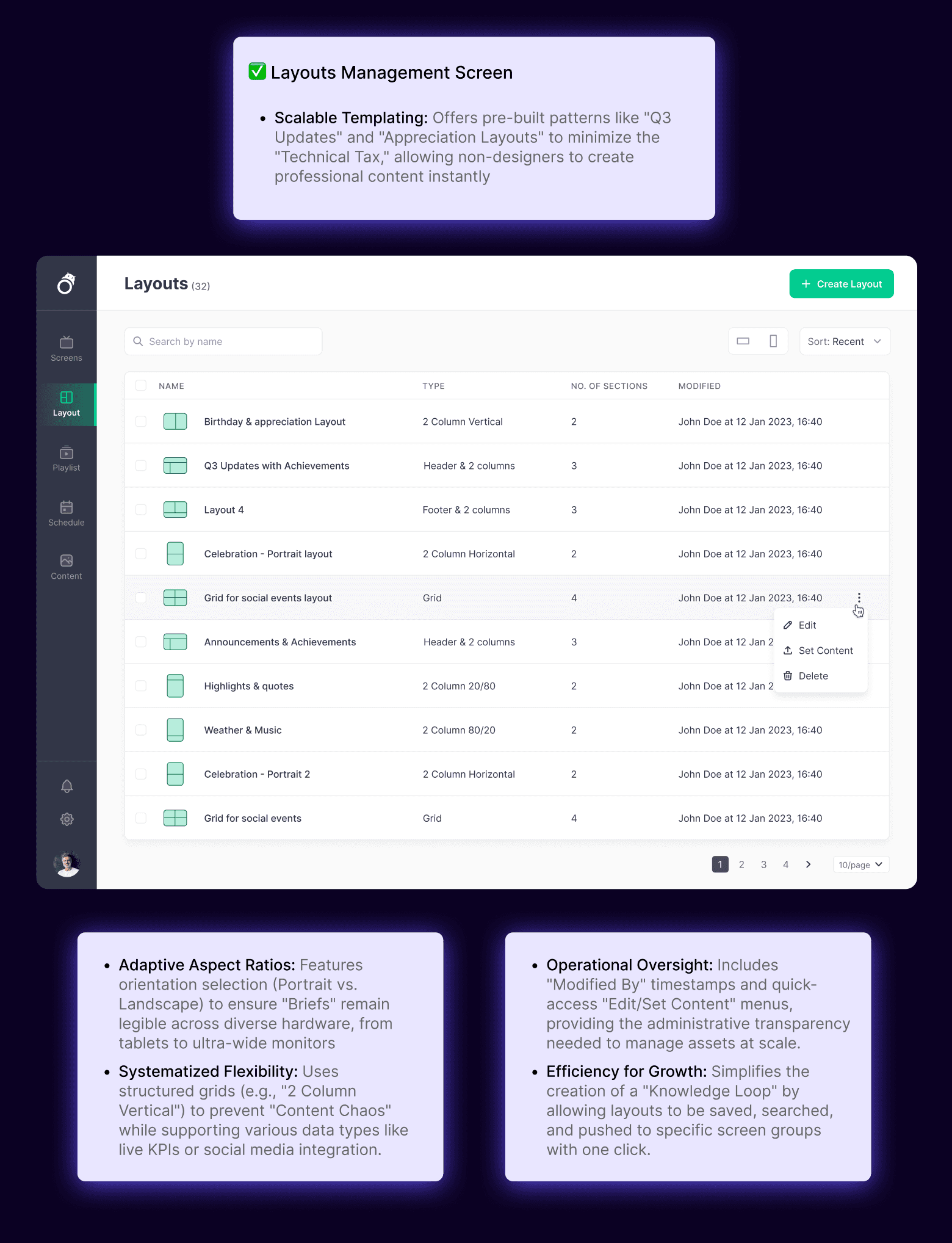
Adaptive Layouts & Information Architecture: The Improvement:Redesigning the app's IA to adjust based on the screen's aspect ratio.
Adaptive Layouts & Information Architecture: The Improvement:Redesigning the app's IA to adjust based on the screen's aspect ratio.
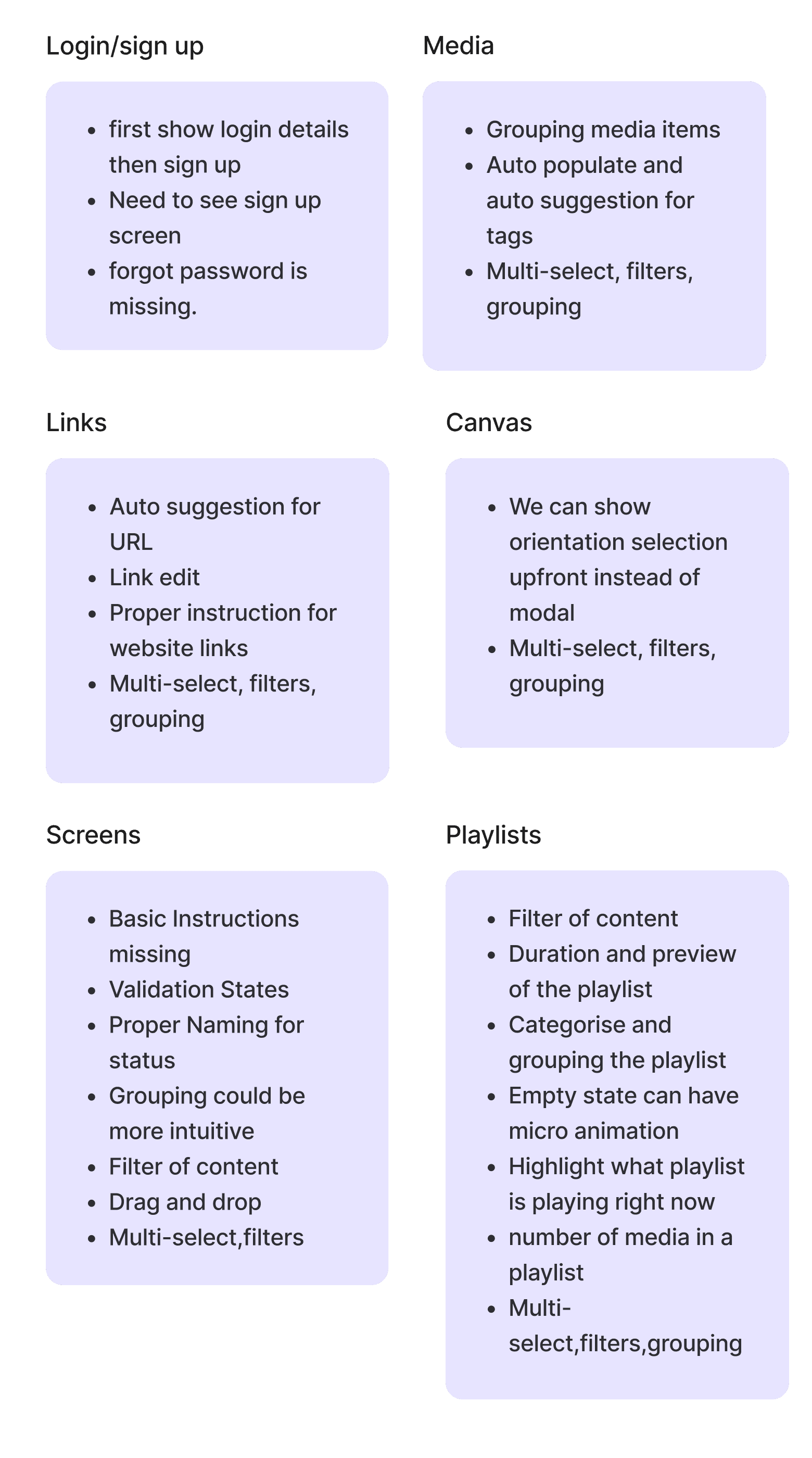
-first show login details then sign up
-Need to see sign up screen
-forgot password is missing.
Login/sign up
Screens
-Basic Instructions missing
-Validation States
-Proper Naming for status
-Grouping could be more intuitive
-Filter of content
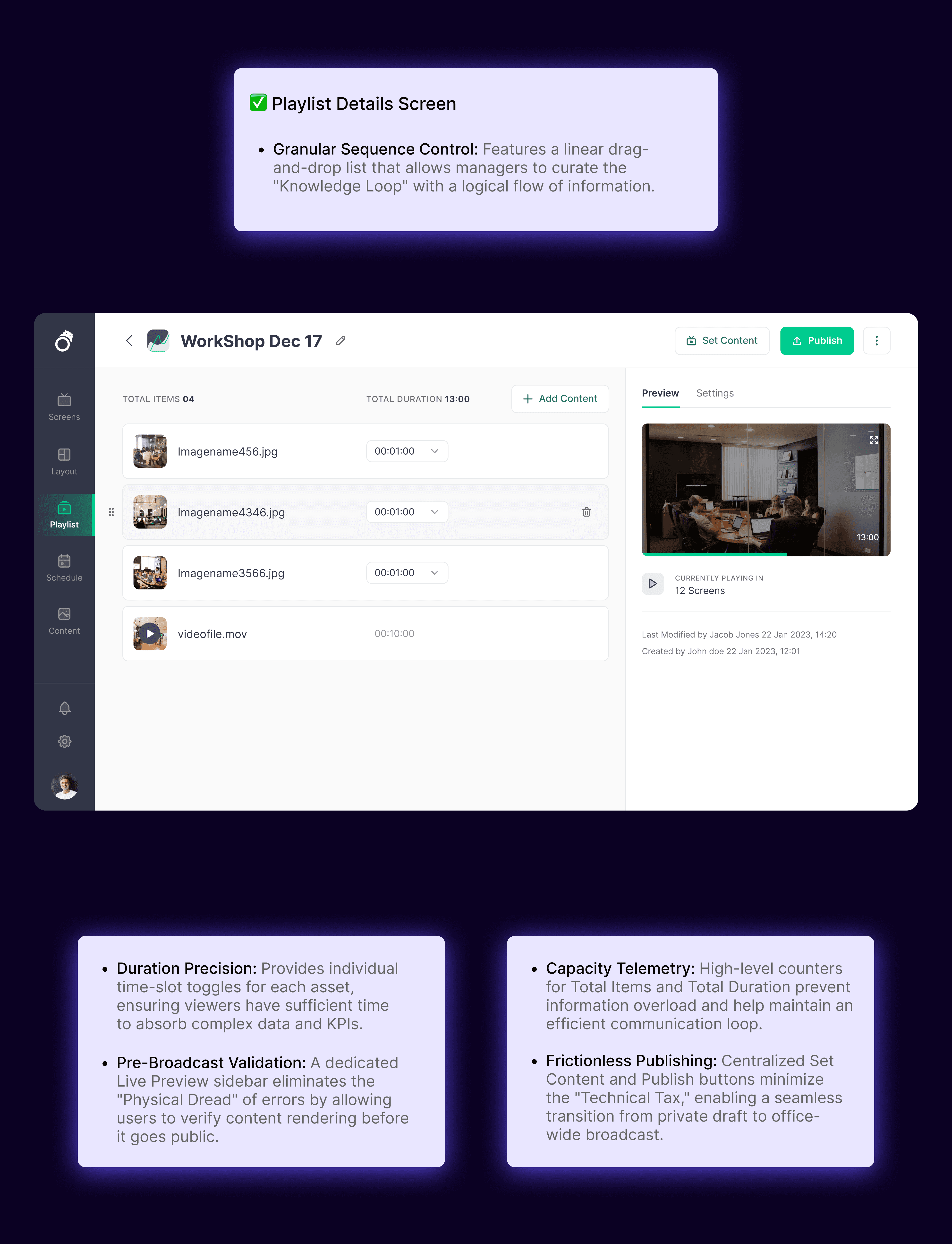
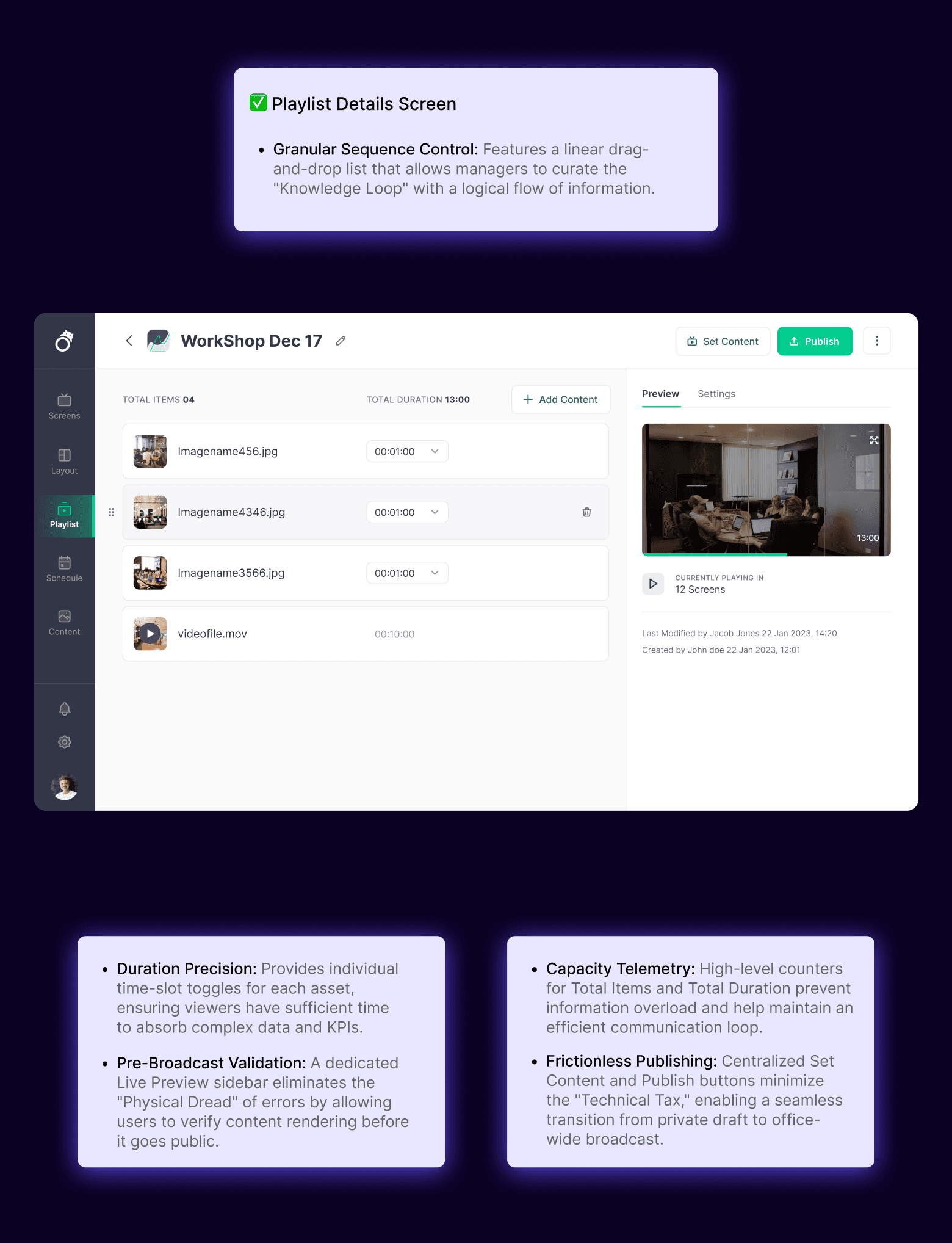
-Drag and drop
-Multi-select,filters
-Filter of content
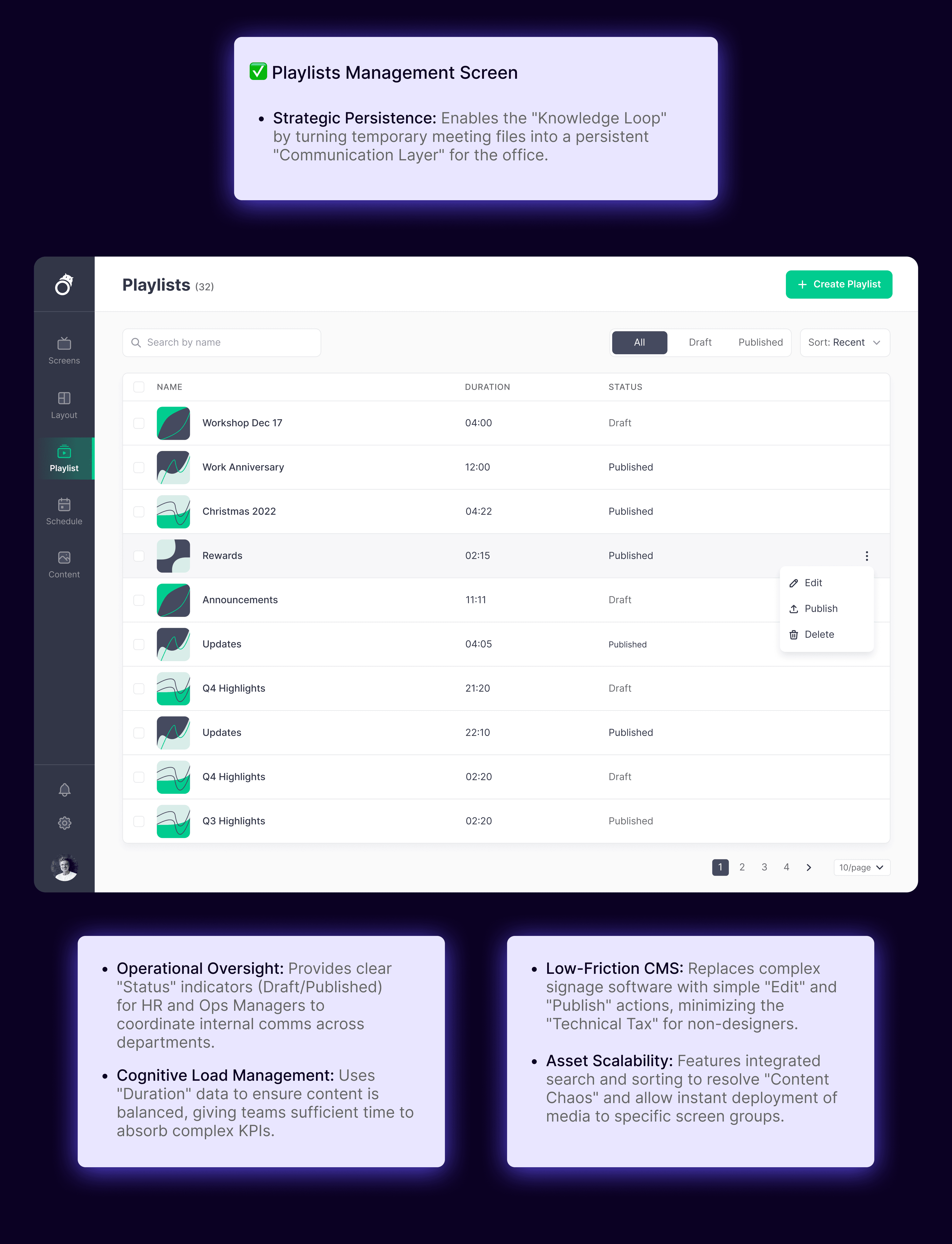
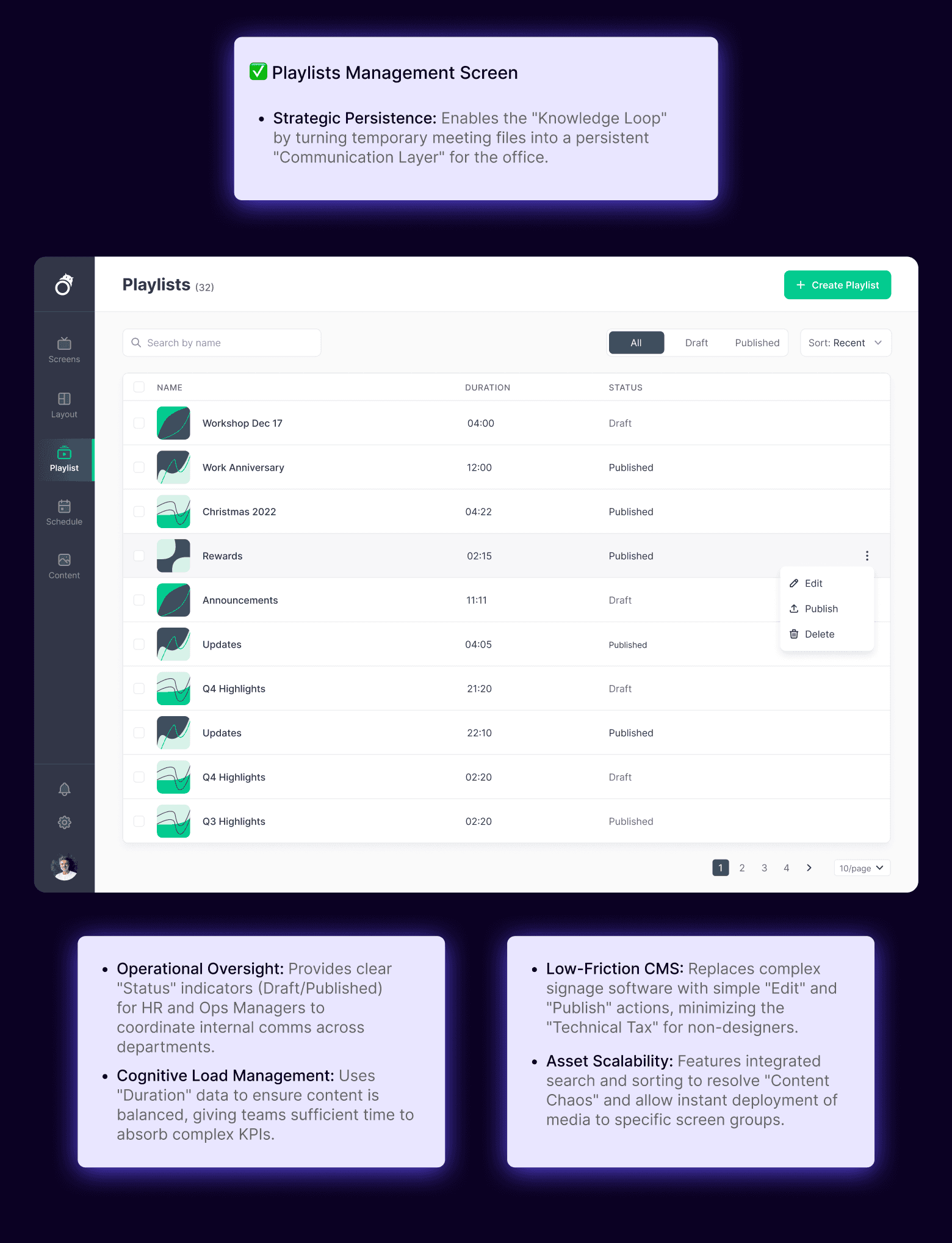
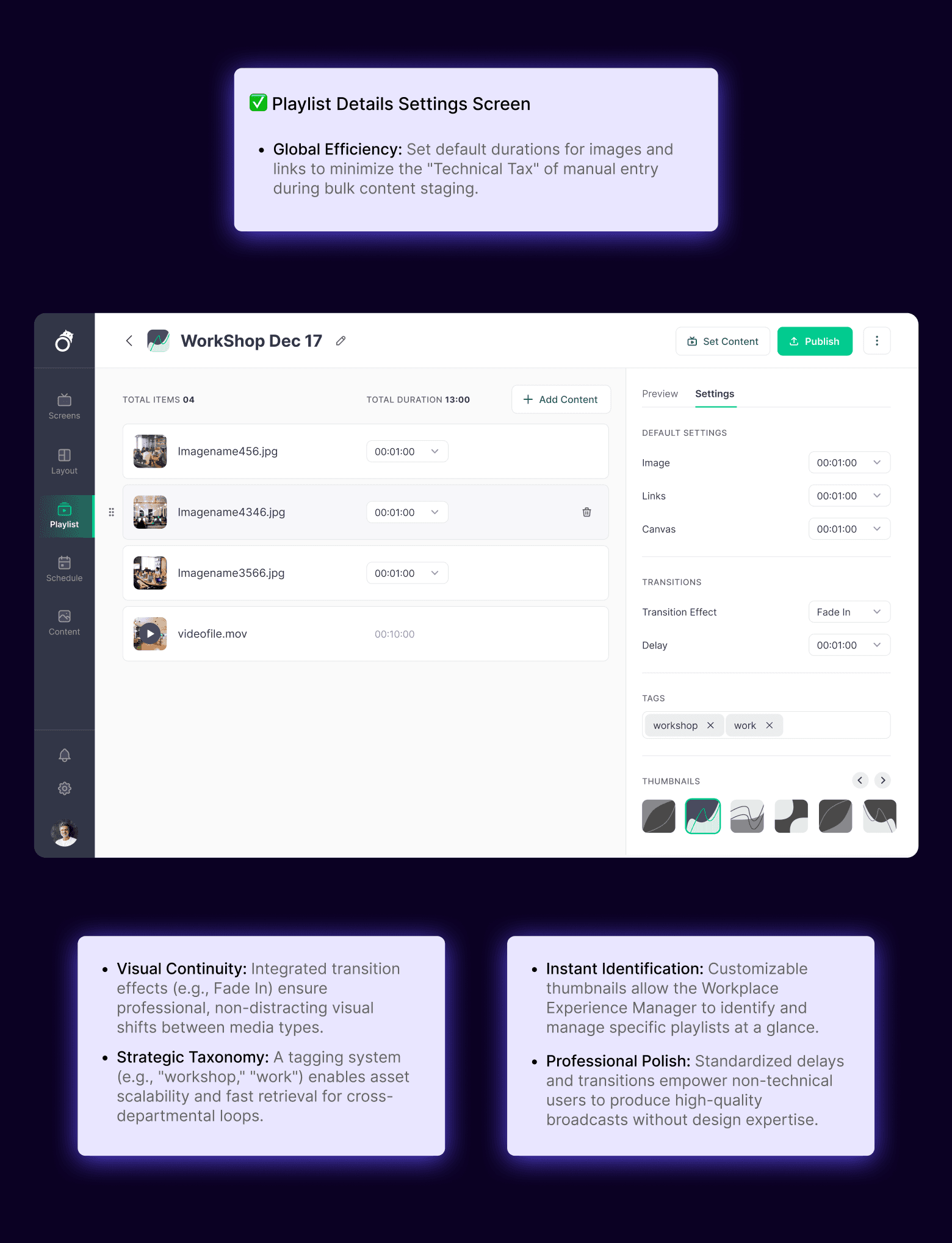
-Duration and preview of the playlist
-Categorise and grouping the playlist
-Empty state can have micro animation
-Highlight what playlist is playing right now
number of media in a playlist
-Multi-select,filters,grouping
Playlists
-Auto suggestion for URL
Link edit
-Proper instruction for website links
-Multi-select, filters, grouping
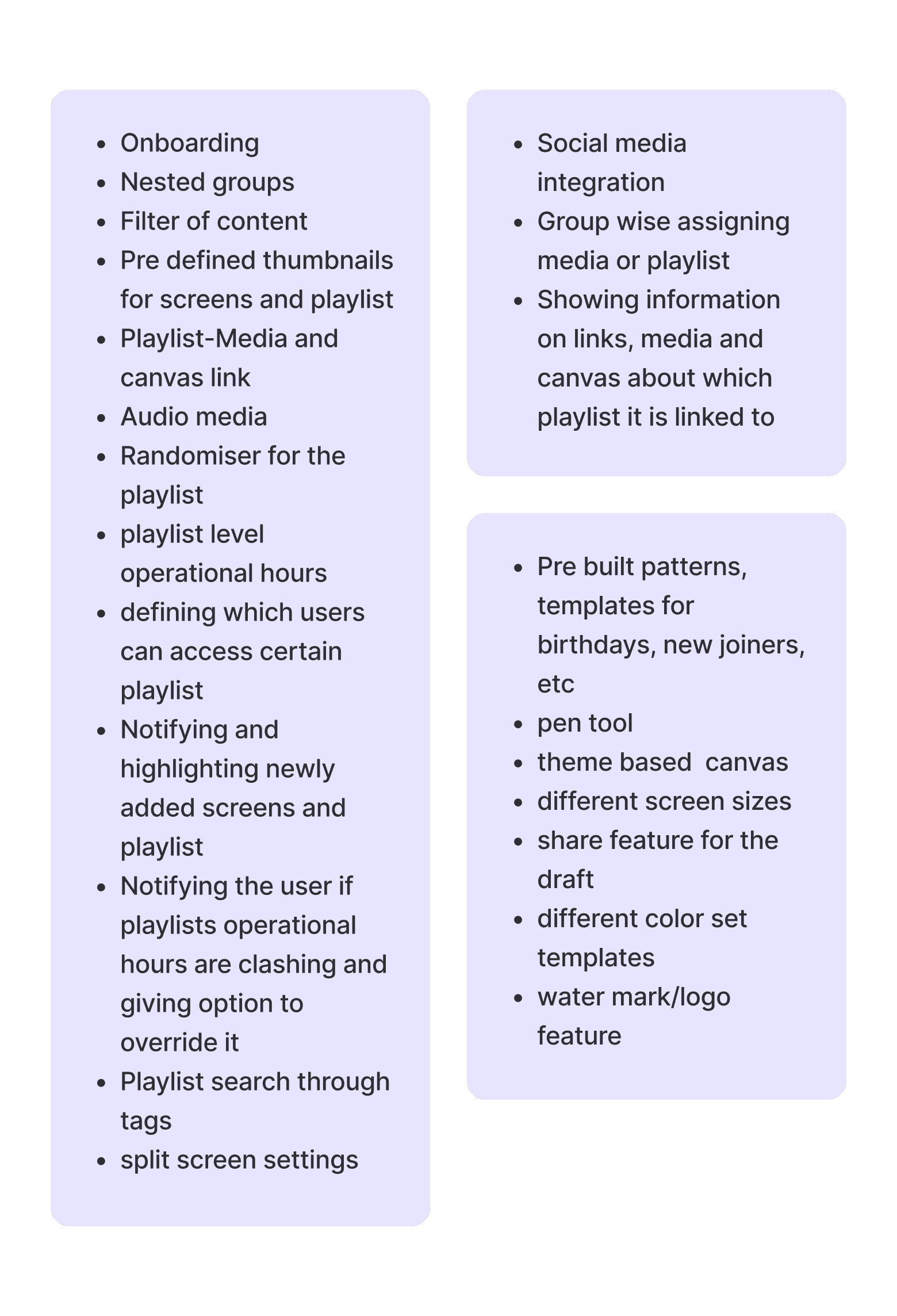
-Social media integration
-Group wise assigning media or playlist
-Showing information on links, media and canvas about which playlist it is linked to
Links
-We can show orientation selection upfront instead of modal
-Multi-select, filters, grouping
-We can show orientation selection upfront instead of modal
-Multi-select, filters, grouping
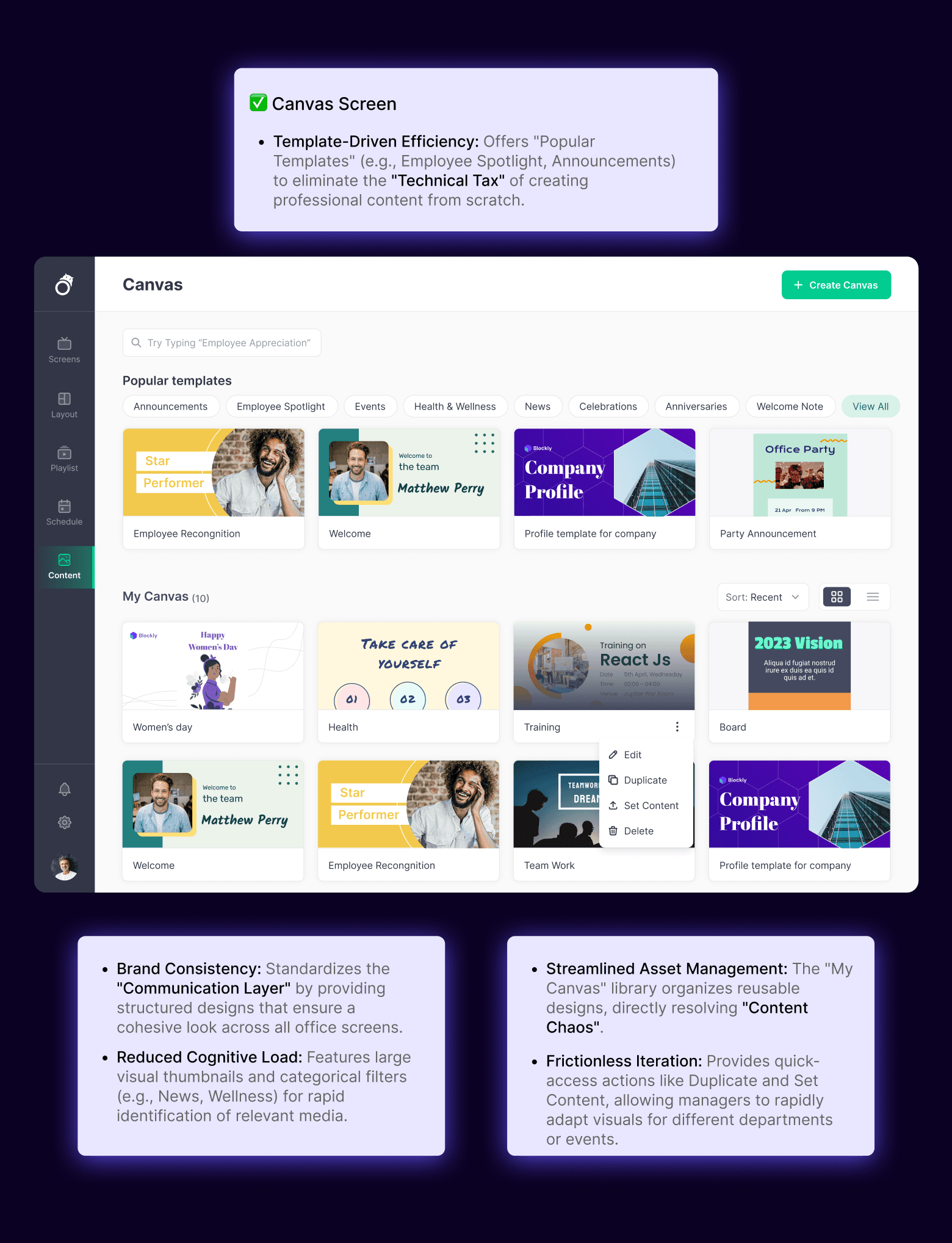
-Pre built patterns, templates for birthdays, new joiners, etc
-Pen tool
-Theme based canvas
different screen sizes
share feature for the draft
different color set templates
-Water mark/logo feature
Canvas
-Grouping media items
-Auto populate and auto suggestion for tags
-Multi-select, filters, grouping
-Onboarding
-Nested groups
-Filter of content
-Pre defined thumbnails for screens and playlist
-Playlist Media and canvas link
-Audio media
-Randomiser for the playlist
-Playlist level operational hours
-Defining which users can access certain playlist
-Notifying and highlighting newly added screens and playlist
-Notifying the user if playlists operational hours are clashing and giving option to override it
-Playlist search through tags
-Split screen settings
Media
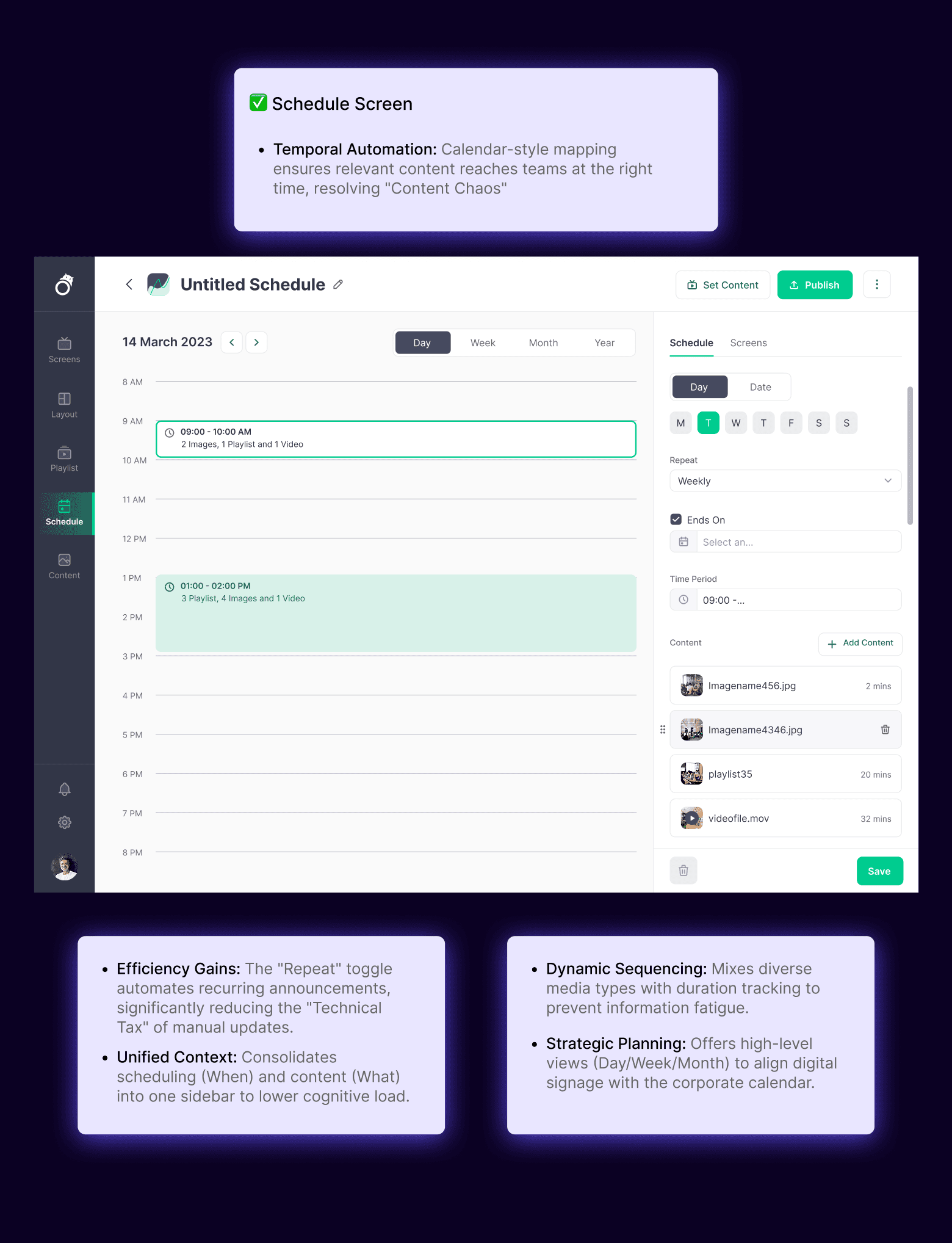
The Knowledge Loop" (Persistent Signage):
The Knowledge Loop" (Persistent Signage):
Interactive Annotations & "Live Hand-off
Interactive Annotations & "Live Hand-off
Centralized Content Dashboard (Command Center)
Centralized Content Dashboard (Command Center)
What is it: A feature allowing a presenter to leave a meeting while keeping a key KPI slide or "Brief" looping on the screen.
What is it: A feature allowing a presenter to leave a meeting while keeping a key KPI slide or "Brief" looping on the screen.
What is it: Tools for simultaneous multi-user drawing and one click "presenter baton" passing.
What is it: Tools for simultaneous multi-user drawing and one click "presenter baton" passing.
What is it: A web-based hub where office managers can monitor and control content across every screen in the building (Lobby, Breakroom, etc.).
What is it: A web-based hub where office managers can monitor and control content across every screen in the building (Lobby, Breakroom, etc.).
Strategic Impact: Transforms a temporary meeting into a long-term knowledge sharing opportunity for the entire team
Strategic Impact: Transforms a temporary meeting into a long-term knowledge sharing opportunity for the entire team
Strategic Impact: Moves the team from passive watching to active, real time collaboration.
Strategic Impact: Moves the team from passive watching to active, real time collaboration.
Strategic Impact: Solves the "disconnected screen" problem by allowing remote management of all corporate digital assets from a single desk.
Strategic Impact: Solves the "disconnected screen" problem by allowing remote management of all corporate digital assets from a single desk.
OUTCOMES
OUTCOMES
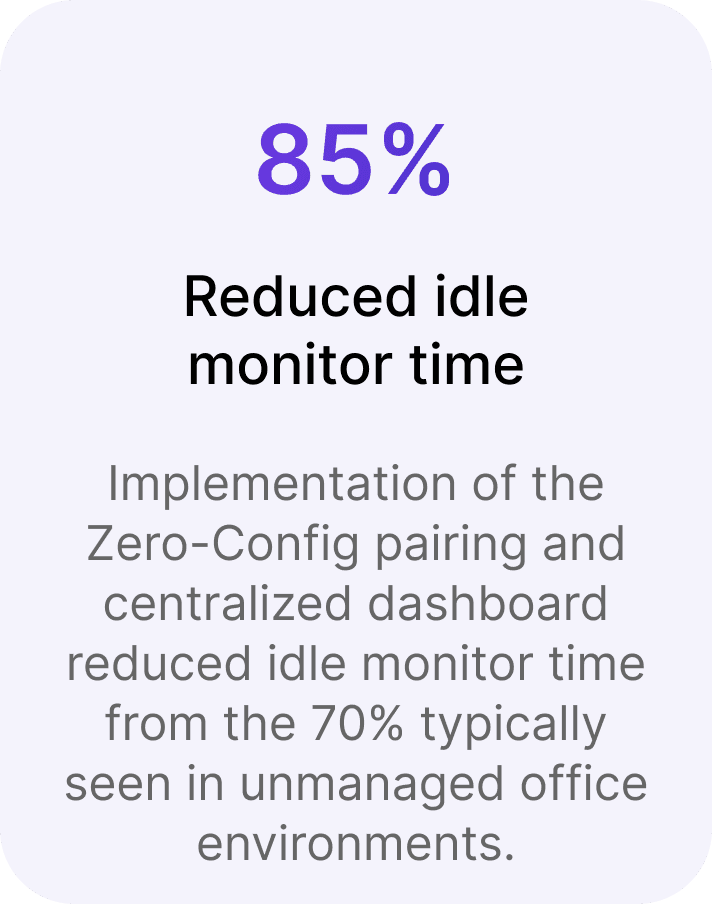
Implementation of the Zero Config pairing and centralized dashboard reduced idle monitor time from the 70% typically seen in unmanaged office environments.
Reduced idle monitor time
70%
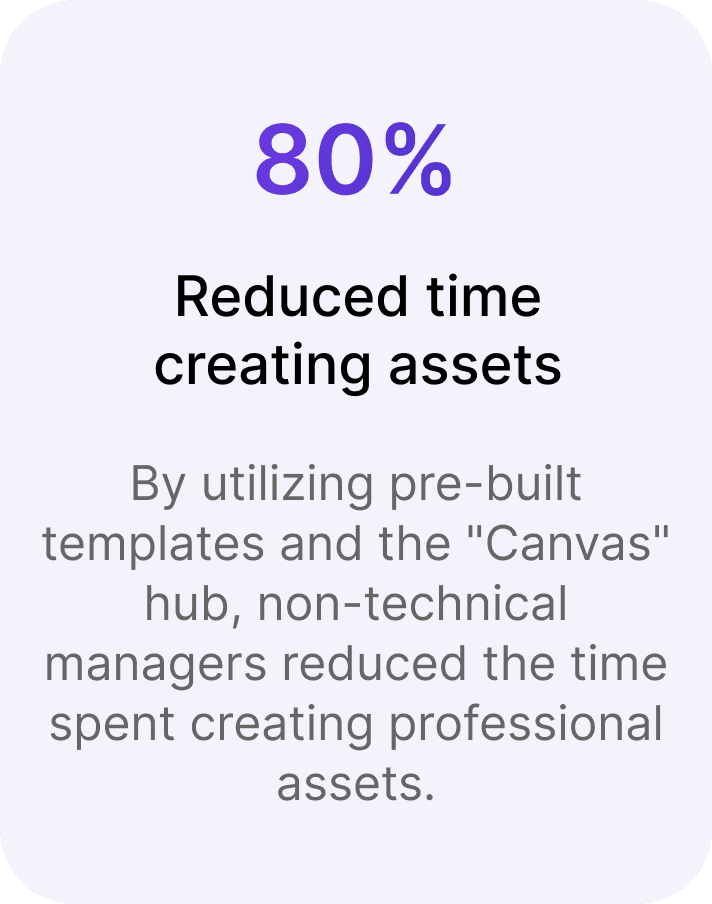
By utilizing pre built templates and the "Canvas" hub, non technical managers reduced the time spent creating professional assets.
Reduced time creating assets
80%
Frictionless Adoption:
Hiding technical complexity behind familiar consumer grade interactions is essential for driving user engagement in corporate software.
Frictionless Adoption:
Hiding technical complexity behind familiar consumer grade interactions is essential for driving user engagement in corporate software.
Utility over Aesthetic:
In professional environments, "Set and Forget" automation (like recurring schedules) often provides more user value than deep design customization.
LEARNINGS & TAKEAWAYS
LEARNINGS & TAKEAWAYS
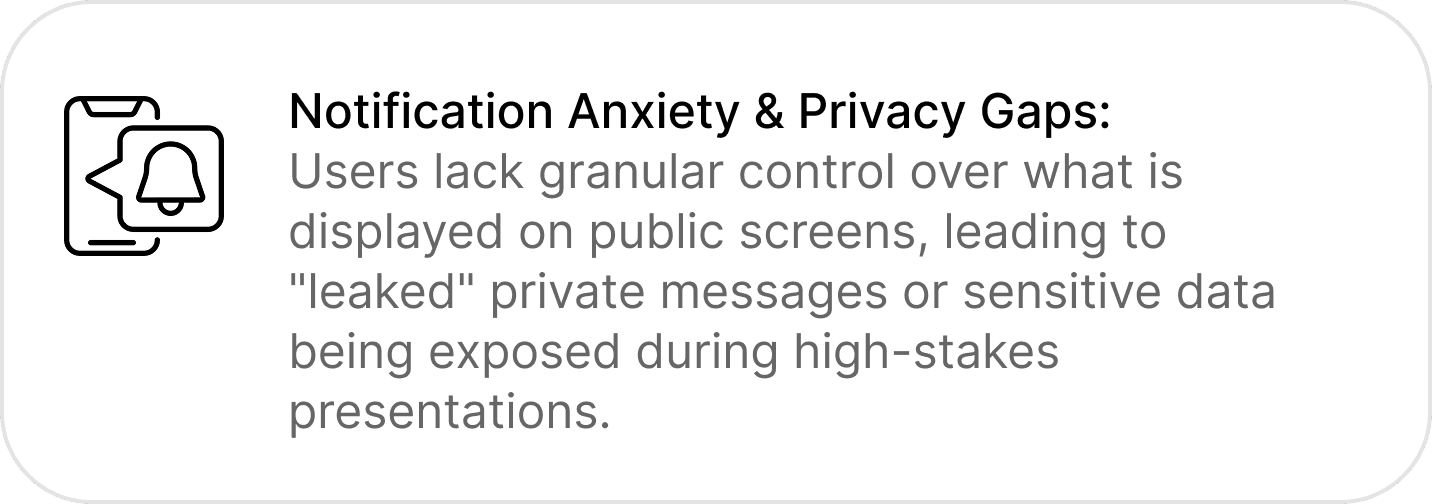
Notification Anxiety & Privacy Gaps:
Users lack granular control over what is displayed on public screens, leading to "leaked" private messages or sensitive data being exposed during high stakes presentations.

Utility over Aesthetic:
In professional environments, "Set and Forget" automation (like recurring schedules) often provides more user value than deep design customization.